Why F150 Traction Control Activates on Dry Pavement Explained
It can be a head-scratcher when your F150’s traction control kicks in, especially when the roads are perfectly dry. If you’re new to driving a truck or just curious, knowing why F150 traction control activates on dry pavement can seem tricky. Don’t worry, many truck owners experience this! This article makes it easy. We’ll explore the reasons, step-by-step, to help you figure out what’s happening. Ready to learn?
Reasons for Traction Control Engagement
The traction control system in your F150 is there to keep you safe and in control. It’s designed to prevent wheelspin, which is when your tires lose grip and start spinning without propelling you forward effectively. This is usually very helpful in slippery conditions like snow or ice. However, sometimes it can activate even on a dry road. Several things can cause this, and exploring these causes can help drivers to troubleshoot the situation. Common factors include wheel speed sensor issues, uneven road surfaces, or even driver inputs. Addressing these issues can help improve the driving experience and also enhance safety. Getting to the root cause often involves checking the tires, suspension, and other key components.
Wheel Speed Sensors
These sensors are like the ears of your truck’s traction control system. They monitor how fast each wheel is turning. If one wheel spins faster than the others, the sensors tell the system to kick in. A problem with these sensors is a common reason for unexpected traction control activation. Dirt, debris, or damage to the sensor or the wiring can cause false signals, leading the system to think a wheel is slipping when it isn’t. Replacement can be simple, but the key is diagnosing which sensor, if any, is at fault.
- How They Work: Wheel speed sensors measure the rotational speed of each wheel, sending this data to the truck’s computer.
- Common Issues: Dirt, damage, or faulty wiring can disrupt the signals, leading to false positives.
- Troubleshooting: Inspecting the sensors for damage or debris is a good first step, then checking for any damage on the wiring.
- Diagnostic Tools: A diagnostic scan tool can read error codes, identifying which sensor might be causing the problem.
- Replacement: Often a relatively simple fix, involving replacing the faulty sensor.
Suspension Issues and Alignment
The suspension system plays a crucial role in maintaining tire contact with the road. If there’s an issue with your truck’s suspension, like worn shocks, damaged springs, or incorrect alignment, it can cause the wheels to behave unpredictably. For example, if your truck’s alignment is off, it can cause one tire to move faster than another, triggering the traction control. Similarly, uneven tire wear, a symptom of suspension problems, can also make the traction control system think there’s a problem. Addressing these problems will improve your truck’s handling and help prevent traction control from engaging unnecessarily.
- Worn Components: Worn shocks, struts, or springs can affect how tires make contact with the road.
- Alignment Problems: Misalignment can cause unequal wheel speeds, which confuse the traction control system.
- Uneven Tire Wear: Irregular tire wear can mimic wheel slip, which often causes the system to engage.
- Inspection: Regularly inspect suspension components and get your truck aligned to ensure smooth operation.
- Professional Help: Sometimes a mechanic is needed to pinpoint the exact source of a suspension problem.
Tire Issues
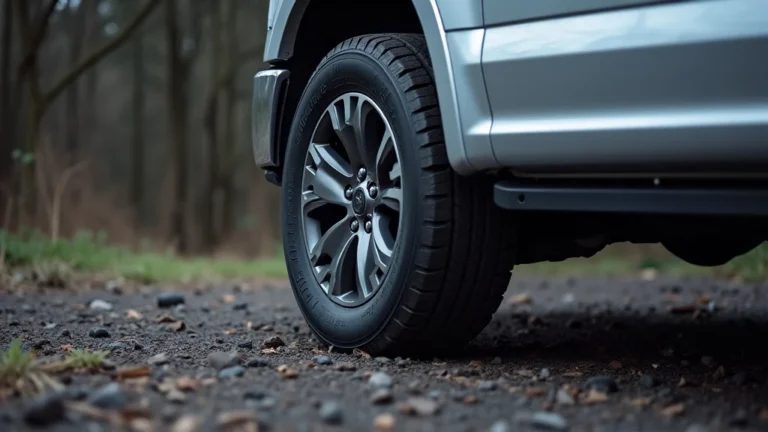
Tires are the connection between your truck and the road. The type, pressure, and condition of your tires significantly affect how the traction control system operates. If your tires are mismatched (different sizes or brands), have uneven wear, or are improperly inflated, the traction control system can get confused. For instance, different tire sizes will cause different wheel speeds, making the system believe there is wheelspin. Similarly, low tire pressure reduces traction, potentially causing the system to engage. Maintaining your tires is a great way to prevent false activations and ensure optimal traction and safety.
- Tire Type: Using tires of different sizes or types can cause wheel speed discrepancies.
- Tire Pressure: Improper inflation can reduce traction, leading to activation.
- Tire Wear: Uneven or excessive wear can affect wheel rotation.
- Inspection: Regularly check your tires for wear, damage, and correct pressure.
- Rotation and Balancing: Rotating and balancing tires is essential to ensure even wear and smooth operation.
The Traction Control System’s Inner Workings
Understanding how your F150’s traction control system works can help you understand why it activates. The system uses a network of sensors and computers to constantly monitor the wheels. When it detects wheelspin, it steps in to regain control. By understanding the inner workings, drivers can better diagnose potential problems. The system works with the anti-lock braking system (ABS) to apply brakes to individual wheels. This helps restore traction. Knowing the basic mechanics can improve troubleshooting efforts and enhance safe driving.
How It Functions
The core function of the traction control system is to manage wheelspin. The system achieves this by using wheel speed sensors to constantly monitor each wheel’s rotation. These sensors are vital for detecting any difference in wheel speeds, which indicates potential wheelspin. When the system identifies wheelspin, it intervenes in several ways. The primary method is to apply the brakes to the spinning wheel. Simultaneously, it can reduce engine power to limit wheelspin. The combination of braking and engine power adjustments allows the system to regain traction and keep the truck stable. It’s essentially the same underlying technology as the ABS system.
- Wheel Speed Sensors: Monitor wheel rotation to detect wheelspin.
- Braking Intervention: Applies brakes to individual wheels to slow down wheelspin.
- Engine Power Reduction: Reduces engine output to prevent excessive wheelspin.
- System Integration: Works with the ABS for coordinated vehicle control.
- Activation Indicators: Often includes a warning light or indicator on the dashboard.
Interaction with the Anti-lock Braking System (ABS)
Traction control and the ABS often work hand-in-hand. The ABS prevents the wheels from locking up during braking. The traction control system uses the same wheel speed sensors as the ABS to identify and correct wheelspin during acceleration. When the traction control system activates, it uses the ABS to apply the brakes to individual wheels that are spinning faster than others. This controlled braking helps the tires regain grip. This coordination allows the system to offer greater control during different driving scenarios.
- Shared Sensors: Both systems use wheel speed sensors.
- Braking Control: Traction control uses the ABS to apply brakes to spinning wheels.
- Enhanced Safety: Working together improves vehicle stability and driver control.
- System Synchronization: The systems are designed to operate together, enhancing safety.
- Emergency Braking: ABS improves braking during emergencies.
System Alerts and Indicators
Your F150’s dashboard includes lights and alerts designed to inform you about the status of the traction control system. The most common indicator is the traction control warning light. It usually looks like a car with squiggly lines underneath. This light may come on briefly when the system is actively working to correct wheelspin. If the light stays on, it could indicate a malfunction. Another possibility is the system has been manually switched off. This can also trigger the light. Regularly checking the dashboard lights can provide important information about the vehicle’s safety systems. Being aware of the indications helps drivers manage any potential issues. If you notice a persistent warning, it’s wise to have your vehicle checked.
- Warning Light: A dashboard light indicating system activation or a fault.
- System Status: Lights indicate whether the system is active or disabled.
- Malfunctions: A persistent warning light suggests a system problem.
- Activation Indication: The light often flashes when the system is actively working.
- User Control: Some trucks have a button to disable the traction control system.
Common Scenarios for Activation on Dry Surfaces
Traction control on dry pavement might seem unusual, but several situations can trigger it. It can be caused by the system thinking there is wheelspin. Drivers often encounter this during sharp turns or quick acceleration. Sometimes the road surface itself is the source. Oil spills or loose debris can create low-traction areas. Learning to recognize these scenarios can help you understand your truck’s behavior and react safely. Knowing what triggers the system can also help you troubleshoot and diagnose any issues. These are examples to help you identify common situations.
- Sharp Turns: Rapid steering movements, especially at higher speeds, can lead to the system activating as the inside wheels may start to spin slightly.
- Quick Acceleration: Pushing the accelerator pedal quickly from a stop can cause the rear wheels to lose traction, especially on surfaces with less grip.
- Uneven Road Surfaces: Driving over small bumps or dips on a road can momentarily cause a tire to lift slightly or lose contact with the road.
During a sharp turn, the inside wheels travel a shorter distance than the outside wheels. If the speed difference becomes large enough, the traction control system might intervene. This is more likely if you are accelerating while turning or if the tires have less grip, perhaps due to a slightly uneven road surface or because the tires are cold. The system is designed to correct for potential wheelspin by applying brakes to the inside wheels, or reducing engine power, to help the truck maintain its intended path and avoid a loss of control.
When you rapidly accelerate, the engine’s power can overcome the tires’ grip, leading to wheelspin. Even on a dry surface, this can happen if the tires are slightly worn, if the road has minor imperfections, or if there is any loose material present. The traction control system detects the difference in wheel speeds and activates to reduce engine power or apply brakes to the spinning wheels. This helps the truck regain grip and move forward smoothly without spinning its tires.
Uneven road surfaces can lead to momentary loss of contact between the tires and the pavement. Even minor bumps, potholes, or changes in road elevation can cause one or more wheels to momentarily lose grip. This is because the tires have less time to make full contact with the road surface. The traction control system senses these changes in wheel speed and may briefly engage. This can cause the driver to feel a slight pulsing sensation as the brakes are applied or engine power is reduced, even on otherwise dry roads.
How to Deal with Unexpected Engagement
When the traction control system activates unexpectedly, it can be a bit surprising, but there are a few things you can do. First, stay calm and avoid overreacting. If you feel the system working, gently ease off the accelerator. You can also make sure your tires are properly inflated. If the problem persists, it may be time to get the system checked. Regular maintenance and a bit of knowledge can help you handle unexpected traction control activation with confidence. Learning these steps will help you stay safe and comfortable while driving your F150.
Immediate Actions
If you feel your truck’s traction control system activating unexpectedly, the first thing is to remain calm. Avoid any sudden steering or braking maneuvers that could make the situation worse. Instead, gently release the accelerator. This allows the system to regain control without causing the vehicle to become unstable. After you ease off the accelerator, let the traction control system work. Try to stay on a steady course. This will give the system time to correct wheelspin and restore stability. If the activation is frequent, take your truck to a mechanic or service center to identify and solve any possible issues.
- Stay Calm: Avoid sudden reactions.
- Ease off Accelerator: Reduce pressure on the pedal.
- Maintain Course: Keep the steering steady.
- Assess: Note the conditions during activation.
- Seek Professional Assistance: Have the system checked if the problem persists.
Troubleshooting Steps
To determine why your traction control system activates unexpectedly, start by examining the conditions. Note the road surface, the speed, and the specific actions you were taking when the system engaged. After the initial assessment, check your tires for correct inflation and wear patterns. Uneven wear or incorrect pressure can affect the system. If you often experience activation on the same roads or turns, it might be due to minor imperfections in the road surface. If the problem continues, consider getting a professional inspection. The mechanic may use diagnostic tools to read any error codes and pinpoint any sensor or system issues that are causing the problem.
- Assess Conditions: Note the road, speed, and actions during activation.
- Check Tires: Ensure proper inflation and examine tire wear.
- Consider Road Conditions: Observe for uneven surfaces or other issues.
- Inspect for Damage: Visually inspect wheel speed sensors and wiring.
- Professional Inspection: Use a diagnostic tool for error codes if the problem remains.
When to Seek Professional Help
Knowing when to seek professional help is very important. If the traction control warning light comes on and stays on, it often indicates a fault. Also, if the system engages unexpectedly frequently on dry, straight roads, it is wise to have a professional check it out. You can also consult a mechanic if you have checked the tires, looked for any visible damage, and the problem still occurs. A professional mechanic can use diagnostic tools to accurately assess the system. They can identify specific problems that can’t be easily found by general inspection. Regular maintenance and addressing issues early can improve vehicle safety and performance.
- Persistent Warning Light: Get the system checked if the warning light stays on.
- Frequent Activation: Seek help if the system activates often on dry roads.
- After Initial Checks: If basic troubleshooting doesn’t work, get it inspected.
- Unusual Behaviors: Look for strange sounds or vehicle movements.
- Professional Diagnostics: Mechanics have specialized tools to solve complex issues.
According to the National Highway Traffic Safety Administration (NHTSA), vehicles equipped with electronic stability control, which often includes traction control, experience fewer accidents. Studies show that these systems significantly reduce the risk of rollovers and loss-of-control crashes, proving the importance of a properly functioning traction control system.
According to a report by the Insurance Institute for Highway Safety (IIHS), properly inflated tires reduce crash rates by about 10%. This reinforces the effect tire pressure has on traction control systems.
| Issue | Possible Cause | Recommended Action |
|---|---|---|
| Unexpected Activation on Dry Pavement | Wheel speed sensor issue, tire problem, suspension problem | Inspect sensors, check tires, examine suspension components |
| Traction Control Light On | Sensor failure, system issue, system turned off | Have the system tested by a mechanic |
| Uneven Tire Wear | Incorrect alignment, tire pressure, or suspension issues | Have the truck aligned, maintain tire pressure, inspect suspension |
Frequently Asked Questions
Question: Why does traction control activate on dry pavement?
Answer: It can activate due to wheel speed sensor issues, suspension problems, or tire problems. The system may believe one wheel is slipping, even if it is not.
Question: What should I do when traction control activates unexpectedly?
Answer: Stay calm, ease off the accelerator, and maintain your course. Then, check the road conditions and your truck’s tires.
Question: Can I disable the traction control system?
Answer: Yes, many F150s have a button to turn off traction control. However, it’s generally best to keep it on for safety.
Question: What does the traction control warning light mean?
Answer: The light indicates the system is working or there may be a fault. If it stays on, have the system checked.
Question: How often should I check my truck’s tires?
Answer: Check your tires at least once a month, and before long trips, including air pressure and tread wear. Ensure the truck’s wheels are balanced.
Final Thoughts
Understanding why F150 traction control activates on dry pavement will help you feel more comfortable driving. The system can be triggered by a few common issues, such as problems with your wheel speed sensors, suspension, or tires. Even the road surface or driving habits can lead to activation. The important thing is to stay calm if it happens and troubleshoot by inspecting those components. If you’re encountering the issue often, remember to seek help from a mechanic to diagnose the root cause accurately. Regular maintenance and paying close attention to your vehicle will help keep you safe on the road. By following these steps, you can confidently drive your F150.