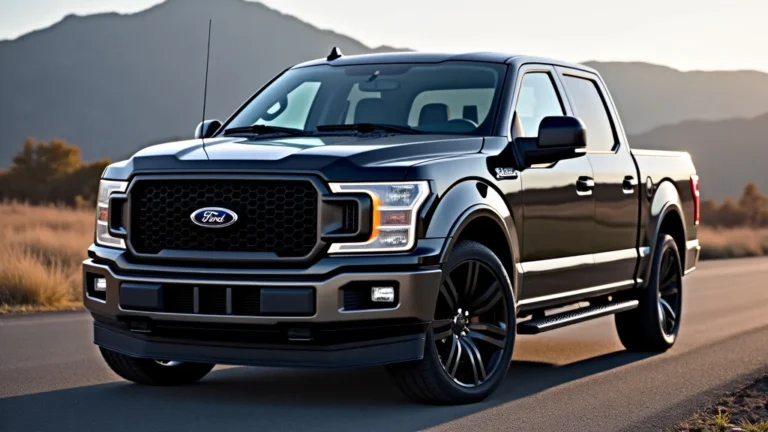
Disabling Ford F150 Auto Start Stop A Simple Guide
Lots of Ford F150 owners wonder how to disable ford f150 auto start stop. This feature automatically turns off your engine when you stop, like at a red light, to save gas. It’s a common topic because some drivers find it annoying or don’t like how it feels. Don’t worry, figuring out how to disable this function isn’t super complicated. This guide will show you how to do it step-by-step. Let’s get started!
Understanding Ford F150 Auto Start Stop
The auto start-stop system in your Ford F150 is meant to boost fuel efficiency and lower emissions. When you come to a complete stop, the engine shuts off, saving fuel that would otherwise be used while idling. When you take your foot off the brake, the engine restarts automatically. This process is managed by a complex set of sensors and control modules that monitor various factors, including the vehicle’s speed, engine temperature, and battery charge.
This system has become a standard feature in many modern vehicles. Its operation significantly contributes to the improvement of a vehicle’s miles per gallon (MPG) rating in city driving conditions. However, many find the feature a bit disruptive. It is a feature designed to enhance fuel economy, but its behavior may not always align with every driver’s preferences. It’s essential to recognize how the system works before you decide to disable it.
How the System Works
The system constantly monitors several parameters to decide when to shut off and restart the engine. These include vehicle speed, brake pressure, and steering wheel angle. When these conditions are met, and the vehicle is stopped, the engine will turn off. Several electronic components play key roles in the auto start-stop system.
-
Engine Control Unit (ECU): The ECU is the brains of the operation. It receives inputs from various sensors and makes decisions about when to start and stop the engine. The ECU uses advanced algorithms to optimize engine operation for both fuel economy and performance.
The ECU constantly adjusts fuel injection, ignition timing, and other engine parameters to achieve peak efficiency. -
Crankshaft Position Sensor: This sensor tracks the position of the crankshaft. It is a key component to ensuring a smooth and quick restart of the engine. The data from the sensor helps the engine management system synchronize the engine’s restarting.
The crankshaft position sensor contributes to the accuracy of the engine start. -
Enhanced Starter Motor: Auto start-stop vehicles are equipped with a more robust starter motor to withstand the increased number of start-stop cycles.
This starter motor is designed to provide quick and reliable engine starts, ensuring that the engine restarts smoothly every time. -
Specialized Battery: The battery is specifically designed to handle the frequent starting and stopping. A specialized battery ensures that the electrical systems of the vehicle remain adequately powered during stop periods.
These batteries are designed to maintain power for extended periods and quickly recharge.
Benefits of Auto Start Stop
The primary benefit of the auto start-stop system is improved fuel efficiency. By shutting off the engine when the vehicle is stationary, the system prevents fuel from being wasted during idling. This can result in noticeable fuel savings, especially in stop-and-go city traffic. The fuel savings translate directly into lower operating costs for vehicle owners.
Also, the system reduces emissions. Less idling means fewer exhaust fumes released into the environment. This helps lower the overall environmental impact of driving. The reduction in emissions is good for air quality in urban areas, where traffic congestion is most prevalent. The auto start-stop system can enhance the long-term health of the engine by minimizing idling.
Methods for Disabling Auto Start Stop
Many Ford F150 owners seek ways to disable the auto start-stop feature for various reasons. The good news is there are several strategies you can try. These methods range from simple button presses to more involved, permanent solutions. Choosing the right method depends on your comfort level with vehicle modifications and the level of convenience you are looking for.
The easiest ways to disable the system are usually temporary and involve pressing a button. More permanent methods might require modifications to your vehicle. Some drivers prefer a simple, temporary fix that can be undone quickly, while others desire a more involved method that disables the system for good. You’ll likely discover that each method has its own set of pros and cons.
Using the Auto Start Stop Button
Most Ford F150 models come equipped with a button to disable the auto start-stop system. This button is usually located on the dashboard or center console. Pressing this button will deactivate the system for the current drive cycle. It’s the simplest and most accessible method. However, the system resets every time you start the vehicle, meaning you have to press the button each time.
Using the auto start-stop button is a fast and simple approach that does not require any special tools or technical expertise. However, it is a temporary solution. The auto start-stop system will automatically re-engage at the beginning of each journey. So it requires a conscious effort to disable the system every time you start your truck.
-
Button Location: Locate the auto start-stop button. It’s often labeled with an “A” inside a curved arrow.
Its placement on the dashboard or center console area. -
Press the Button: Press the button to disable the system. The indicator light will illuminate, confirming that the system is off.
The system will be disabled until the ignition is turned off. -
System Resets: Remember that the system will reset every time you start the truck. You will have to repeat these steps at the beginning of each drive.
The process is quick and easy to do.
Using the OBD2 Port and Programming
Another option involves using the On-Board Diagnostics (OBD2) port on your Ford F150. You can connect a device that allows you to reprogram the vehicle’s computer. This method is more involved and requires some technical skills. The exact steps can differ depending on the specific device and the model year of your truck. Ensure the tool you choose is compatible with your truck.
Programming through the OBD2 port offers a permanent solution. The system will stay disabled until reprogrammed. This will involve the purchase of a compatible device. This method allows you to change how your vehicle operates, and it offers more control than a simple button press. However, incorrect programming can sometimes cause issues, so caution is important.
-
OBD2 Device: Purchase a device that supports Ford F150 programming. Make sure it’s compatible.
Some popular devices are available online. -
Connect and Program: Connect the device to the OBD2 port. Follow the instructions to disable the auto start-stop feature.
Find the settings that affect the system. -
Verify and Test: After programming, test the system to confirm it’s disabled.
Check if the indicator light shows the system is off.
Using a Module or a Relay Bypass
Some users choose to install a module or a relay bypass to disable the auto start-stop feature. This is a more complex option that requires some mechanical or electrical knowledge. These modules typically integrate into the vehicle’s electrical system and trick the system into thinking the conditions for auto start-stop are never met. It can offer a more permanent solution.
Installing a module or relay bypass provides a set-it-and-forget-it approach. The auto start-stop system is disabled every time the engine starts. However, this method requires more skill. Professional installation is always an option. It is crucial to source a high-quality module and to ensure that the installation adheres to safety standards.
-
Module Purchase: Buy a module designed specifically for your Ford F150. Research options and consider reviews.
Choose a reliable module. -
Locate the Relay: Find the auto start-stop relay in the fuse box or under the hood. Consult your owner’s manual for its location.
Always disconnect the battery before working on any electrical components. -
Install the Module: Install the module according to the manufacturer’s instructions.
The module may bypass or alter the relay’s function.
Safety Considerations and Potential Issues
When you’re dealing with vehicle systems, safety should always be the top priority. Disabling the auto start-stop system on your Ford F150 does not typically pose any major safety risks. However, you should be aware of potential issues. Any modifications to your vehicle should be done carefully, following proper procedures. Ignoring these precautions may lead to unintended consequences.
Taking precautions and understanding possible challenges is critical. You’ll want to ensure all work is done correctly. Understanding and addressing potential issues will allow you to maintain the safety and reliability of your truck. Any issues related to disabling features could also void the warranty.
Potential Issues
While disabling the auto start-stop system does not usually lead to major problems, there are a few potential issues to be aware of. It’s important to weigh these considerations when deciding how to disable the feature. Being aware can help you make an informed decision and prevent any unexpected problems. These potential issues may be dependent on which method you choose.
-
Warranty Implications: Modifying your vehicle can sometimes affect your warranty. Check your warranty terms.
You should check the fine print of your warranty before making modifications. -
Component Wear: Although rare, constant starting and stopping could potentially affect certain components.
Regular maintenance can help mitigate any effects on the vehicle. -
Legal Considerations: Be aware of any local laws or regulations that might apply. Always drive safely.
You may encounter local rules that impact vehicle modifications.
Safety Precautions
Several safety precautions should always be taken when modifying your vehicle. This will ensure that any changes are done correctly and safely. A successful project requires patience, care, and attention to detail. Always put your safety and the safety of others first. If you are not comfortable with the tasks, consider getting professional help.
-
Disconnect the Battery: Before working on any electrical components, disconnect the vehicle’s battery. This prevents accidental short circuits.
This safety step will prevent electrical shock. -
Follow Instructions: Always follow the instructions provided with any module or programming device. Proper installation is critical.
Refer to the documentation. -
Consult Professionals: If you are unsure about any step, seek help from a qualified mechanic or technician. It’s always a good choice.
Do not hesitate to seek help when needed.
Other Tips and Tricks
Beyond the core methods for disabling the auto start-stop system, there are a few other tricks and tips to explore. These are simple strategies that can make your driving experience more enjoyable. Experimenting with these options may help you to find a solution that best fits your needs. Adjusting to the auto start-stop feature can improve your experience.
Exploring these tips and tricks can assist in making your driving experience easier. These strategies can provide practical solutions. Consider integrating some of these tips into your daily routine. Experimenting can often offer insights into how the system functions.
Driving Habits
Changing your driving habits can influence how the auto start-stop system functions. For instance, if you drive more aggressively, the system may activate less. It is a simple tactic to reduce how often the feature engages. Some drivers find it helpful to adjust their driving to minimize the impact of the auto start-stop system. This adjustment does not involve any modifications to the vehicle.
-
Accelerate Quickly: Quick acceleration from a stop can sometimes prevent the engine from shutting off.
You may find this approach helps. -
Consistent Speed: Try to maintain a steady speed whenever possible to reduce the frequency of stops.
Smooth driving habits can help minimize the effects of the auto start-stop feature. -
Avoid Hard Braking: Minimizing hard braking can prevent the system from engaging.
Adjust your driving accordingly.
Software Updates
Staying current with software updates is important for your Ford F150. These updates often include enhancements to the vehicle’s systems. Although updates might not specifically disable the auto start-stop feature, they could change how it functions. Check your vehicle’s owner’s manual to learn how to update the software.
-
Check for Updates: Regularly check for software updates. This is available through the vehicle’s infotainment system.
You can stay informed about the latest software features. -
Visit a Dealer: If you’re unsure how to update the software, visit your local Ford dealer. They can provide assistance.
They can also install updates. -
Review Release Notes: Keep an eye on the release notes associated with any software updates. They might provide information related to the auto start-stop system.
You will want to keep track of any changes made to the system.
Aftermarket Accessories
There is a market for aftermarket accessories. These accessories may have an impact on the auto start-stop system. You might find a device designed to automatically disable the feature when you start the truck. Research options and consider the quality. Some accessories are straightforward to install, while others may require professional installation. Selecting the right accessory can streamline the process.
The aftermarket accessory market is vast. Products are available that are intended to simplify how to disable the auto start-stop system. Many products are available that are designed to automatically deactivate the system. Research the offerings and read reviews to ensure a reliable outcome. Review installation guides before purchasing any device.
Frequently Asked Questions
Question: Is it harmful to constantly disable the auto start-stop feature?
Answer: No, it’s generally not harmful to disable the feature. The system is designed to handle this.
Question: Can I permanently disable the auto start-stop feature without any modifications?
Answer: Only by changing your driving habits or through software updates, not fully.
Question: Will disabling the auto start-stop system affect my fuel efficiency?
Answer: Yes, slightly. It might lead to a small decrease in fuel economy.
Question: Where can I find the auto start-stop disable button?
Answer: It’s typically on the dashboard or center console, often labeled with an “A” inside a curved arrow.
Question: Is it hard to install a module to disable the auto start-stop feature?
Answer: Some modules are easy to install, but others may require some technical skills.
Final Thoughts
Disabling the auto start-stop feature on your Ford F150 is a doable task, and now you have several options. Whether you want a temporary fix with the button or a more permanent solution, you have the information you need. There are several approaches you can use, each with its own advantages. You explored the button option, reprogramming through the OBD2 port, and installing a module or relay bypass.
You can now weigh the pros and cons of each method. Remember to prioritize safety and understand any potential issues. If you are comfortable, you can start with the button or explore other methods. It’s about finding what feels right for you and your truck. Now, go and make your driving experience as enjoyable as possible!