F150 Lane Keep Assist Behavior Explained Simply for Drivers
Driving a Ford F-150 with Lane Keep Assist can feel tricky at first. Many new drivers find it confusing or struggle to adjust to the system’s nudges. It’s totally normal to feel this way; the f150 lane keep assist behavior is a relatively new technology. This post will break down how it works, what it does, and how you can use it confidently. We’ll simplify everything with clear explanations and step-by-step instructions. Get ready to explore the system and feel more comfortable on the road!
Key Takeaways
- You will find out what the Lane Keep Assist system actually does.
- Discover the different ways the system can help you stay in your lane.
- Learn how to turn the Lane Keep Assist on and off.
- Understand the limits of the system and when it might not work.
- Become comfortable with the system’s subtle steering corrections.
- Troubleshoot common issues that might arise with your system.
Getting Started with Your F150’s Lane Keeping System
The Ford F-150’s Lane Keeping System (LKS) is designed to help you stay centered in your lane, which can add an extra layer of safety. This system uses a camera mounted behind the windshield to “see” the lane markings on the road. When the system detects that your truck is drifting towards a lane marker, it will spring into action. There are different ways this system works. It can gently steer you back into your lane, provide a warning, or do both. This system is a form of driver-assist technology, and it’s important to know how it works and what it does.
What the Lane Keeping System Actually Does
The Lane Keeping System helps to prevent unintended lane departures. The core function is to keep the F-150 centered within the marked lanes of the road. This system uses a combination of sensors and technologies to achieve this goal. The primary sensor is a forward-facing camera, typically located near the rearview mirror. This camera continuously scans the road ahead, looking for lane markings. When the system detects that the vehicle is drifting toward a lane marking without a turn signal activated, it intervenes to help keep the vehicle within its lane.
- Lane Keeping Aid: This feature actively steers the vehicle. If the system detects that the vehicle is drifting out of its lane, it gently steers the vehicle back toward the center of the lane. This intervention is often subtle, designed to provide assistance without being intrusive.
- Lane Departure Warning: This feature provides a warning to the driver when the vehicle begins to drift out of its lane. The warning can take several forms, including a vibration in the steering wheel, an audible chime, or a visual alert on the instrument panel. This feature alerts the driver to take corrective action.
- Alertness Detection: Certain versions of the LKS include a driver alertness monitoring system. This system analyzes driving behavior to detect signs of drowsiness or inattentiveness. If the system detects a potential issue, it provides warnings to the driver, recommending a break.
The LKS is a great support for the driver, especially on long trips or in situations where driver attention might be reduced. However, it’s very important to remember that it is not a replacement for attentive driving. Drivers must always remain in control of the vehicle and be prepared to take corrective action when needed.
How the System Senses Lanes
The system’s ability to sense lanes is key to its functionality. It relies heavily on image processing and pattern recognition. The forward-facing camera captures images of the road, and these images are then processed by a computer. This computer is programmed to identify lane markings based on their color, shape, and position. Lane markings are usually white or yellow painted lines on the road. The system can see these lines under various lighting conditions, including day and night. The system uses algorithms to filter out any visual “noise” that might interfere with its ability to identify the lane markings, such as shadows, dirt, and road debris.
- Camera Technology: The quality of the camera plays a major role in the system’s performance. High-resolution cameras are able to capture detailed images of the road, allowing for more accurate detection of lane markings, even when they are worn or partially obscured.
- Image Processing: Image processing algorithms are used to analyze the images captured by the camera. These algorithms identify and track lane markings. They are able to distinguish between different types of lane markings and adapt to changes in road conditions, such as curves and hills.
- Sensor Fusion: In some cases, the system might also use other sensors, like radar, to enhance its ability to sense lanes. Radar can detect lane markings and other objects, providing a secondary layer of information that can improve the system’s accuracy and reliability.
The system is generally very reliable, but its accuracy can be affected by certain conditions, such as heavy rain, snow, or fog. In these cases, the camera’s view of the road may be obstructed, reducing the system’s ability to identify lane markings. This is a reminder that the driver must remain in control and be ready to make adjustments when needed.
Activating and Adjusting the F150’s Lane Keeping Assist
Turning on and adjusting the Lane Keeping System is a simple process, usually done through the vehicle’s instrument panel or infotainment system. It’s usually a matter of pressing a button or navigating through a menu. Understanding how to customize the system’s settings will allow you to get the most out of it and make the system fit your driving style. While the exact steps can differ a bit depending on the F-150’s model year and trim level, the basic concepts are usually the same.
Step-by-Step Activation Instructions
Here’s a basic guide on how to activate the Lane Keeping System. Keep in mind that specific steps might vary slightly based on your F-150’s features and setup. These directions are useful across many F-150 models. You can always consult your owner’s manual for specific details related to your vehicle.
- Locate the Controls: The controls for the Lane Keeping System are typically found on the steering wheel or in the vehicle’s infotainment system menu. Look for a button with a lane marking icon, often represented by lines that are close together.
- Turn It On: Press the button on the steering wheel or select the lane keeping option in the infotainment menu. This will activate the system. You might see an indicator light on the instrument panel. This will show you that the system is active and ready to help.
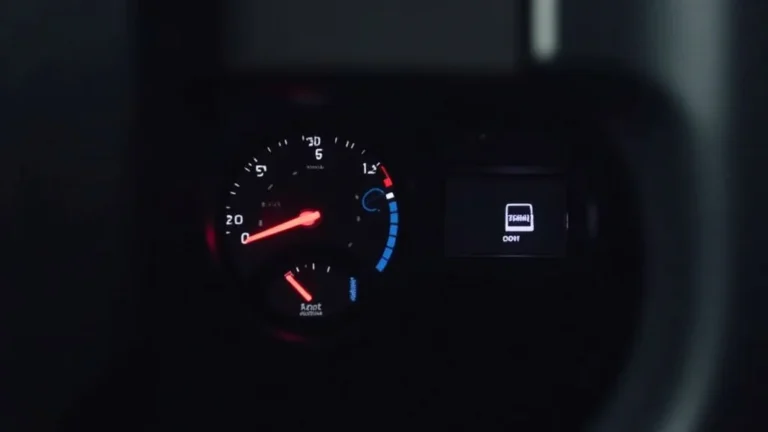
- Check the Instrument Panel: After activating the system, check the instrument panel. It should display a visual indication that the system is active. This might be a lane marking symbol with lines on either side, or a specific message.
Once you get comfortable with the system, you will find it simple to use. Remember to check your vehicle’s owner’s manual for precise instructions.
Customizing System Settings
You can often customize the Lane Keeping System to better suit your needs. The settings allow you to adjust how the system responds. This can change how actively the system intervenes when it detects that the vehicle is drifting toward a lane marking. You can choose from various settings, such as the level of steering assist, or the type of alerts you receive. Some systems also allow you to adjust the system’s sensitivity, which determines how early the system intervenes. These adjustments can be found in the vehicle’s settings menu.
- Steering Assist: This setting usually allows you to select the level of steering intervention the system provides. You may have options like “active,” where the system actively steers to keep you in the lane; “alert,” where it only provides warnings; or “off,” where the system is disabled.
- Alerts and Warnings: You can customize how the system alerts you. Common options include steering wheel vibrations, visual warnings on the instrument panel, and audible chimes. You can select the type of alert that works best for you.
- Sensitivity: Some systems have a sensitivity setting. This adjusts how sensitive the system is to lane markings and how early it reacts. Adjusting the sensitivity can help you avoid unwanted interventions on certain roads.
Experimenting with these settings will help you find the combination that works best for your driving style and the roads you typically drive on. Keep in mind that it might take some time to get comfortable with the system, so don’t hesitate to adjust the settings until you find what suits you best.
How the F150 Lane Keeping System Works: Modes and Limitations
The Lane Keeping System doesn’t act the same way in all situations. Depending on the conditions and system settings, it can function in different modes. The main modes are “assist,” “alert,” and “off.” This adaptability is key to understanding how the system works and how to get the most from it. It’s helpful to be aware of the system’s limits, so you understand when it may not perform as expected. This section helps you understand the system’s behavior in various situations.
Operating Modes Explained
The Lane Keeping System can operate in several modes to provide different levels of support to the driver. These modes affect how the system reacts to the vehicle’s position within a lane. It’s helpful to be familiar with each mode to ensure you understand what to expect from the system. These modes ensure that the system adapts to different driving conditions. The driver can often select the desired mode through the vehicle’s settings or control panel.
- Lane Keeping Aid (Active Steering): In this mode, the system actively intervenes to help keep the vehicle centered in its lane. When the vehicle begins to drift toward a lane marking, the system provides steering input to gently guide the vehicle back toward the center of the lane. This intervention is often subtle, designed to provide assistance without being intrusive.
- Lane Departure Warning (Alert Only): In this mode, the system alerts the driver if the vehicle starts to drift out of its lane. The alerts can take several forms, including a vibration in the steering wheel, an audible chime, or a visual alert on the instrument panel. The purpose of this mode is to alert the driver to take corrective action, rather than actively steer the vehicle.
- Off (System Disabled): In this mode, the Lane Keeping System is completely disabled. The system will not provide any steering input or warnings. The driver is solely responsible for maintaining the vehicle’s position within the lane. This setting is useful when driving in situations where the system might interfere or become a nuisance, such as on narrow roads or in construction zones.
The specific modes available, and the settings for each mode, can vary depending on the model and the options selected. Drivers should always consult their owner’s manual to understand all the modes and settings for their vehicle.
Conditions That Might Affect Performance
Several conditions can affect the performance of the Lane Keeping System. The system relies heavily on the camera to see the lane markings. Things that affect the camera’s view can impact the system’s accuracy. These factors are important to know so that you can anticipate the system’s behavior. Understanding the limitations helps you drive safely and use the system wisely.
- Poor Weather Conditions: Heavy rain, snow, fog, and even bright sunlight can reduce the visibility of lane markings. The system might not be able to identify the lanes correctly. In such situations, the system may provide reduced performance or even shut down completely.
- Worn or Obscured Lane Markings: Lane markings that are faded, damaged, or obscured by road debris or construction can cause problems for the system. The system’s sensors might not be able to accurately detect the lane boundaries, leading to incorrect interventions or a failure to function properly.
- Road Construction and Unusual Lane Configurations: Road construction zones and roads with unusual lane configurations can pose challenges for the system. Lane markings may be temporary, poorly defined, or missing altogether. In these situations, the system could struggle to accurately determine the vehicle’s position within the lane.
- System Malfunctions: As with any technology, the Lane Keeping System can experience malfunctions. Regular inspection and maintenance are essential to ensure the system works as intended. If you notice any unusual behavior or warnings from the system, it’s best to have the vehicle inspected by a qualified technician.
Always stay alert and ready to take control of the vehicle. Do not rely solely on the Lane Keeping System, especially when conditions affect its operation.
Troubleshooting Common F150 Lane Keeping Assist Issues
You may encounter some issues as you use the Lane Keeping System. It is helpful to know how to resolve them. You can usually fix these issues yourself by checking a few things or adjusting settings. Here are some of the most common problems and how to solve them. You can often troubleshoot these issues without a trip to the mechanic.
Common Problems and Solutions
Encountering problems with the Lane Keeping System can be frustrating. You can often resolve these issues quickly by checking certain things. Troubleshooting can save you time and help you get back to driving with the system’s support. Here are some common problems and the steps you can take to fix them:
- System Not Activating: Make sure the system is turned on. Also, verify that the lane markings are clearly visible and that the system is operating within its speed range (usually above a certain speed). If it still doesn’t activate, check the vehicle’s settings to ensure the system is enabled. The camera lens might also be blocked.
- Erratic Steering: If the system is making unexpected steering adjustments, lane markings might be unclear or the road might have unusual curves. Adjusting the system sensitivity can sometimes help. You should also ensure that the tires are properly inflated and the vehicle is aligned.
- False Alerts: False alerts, such as the steering wheel vibrating when you are not drifting, can be caused by various issues. These could include obstructions on the camera lens. You can check the camera for any dirt, debris, or other blockages. Make sure that you have not accidentally disabled the alerts.
If you’ve checked these items and problems continue, you should seek help from a qualified mechanic. Do not attempt complex repairs. Your local Ford dealership should be able to help you.
When to Seek Professional Help
While some issues can be resolved quickly, others might need a professional’s touch. You should seek professional help if you cannot resolve the problem yourself. Here’s a guide to help you decide when it is time to have your system serviced. It’s important to keep your vehicle safe and in top shape.
- System Failure Warnings: If the instrument panel displays an error message related to the Lane Keeping System, it is a sign that there is an issue that needs to be checked by a professional. This could mean a sensor malfunction or a software issue that requires diagnostics.
- Persistent, Unexplained Behavior: If the system continues to exhibit unusual or erratic behavior that you cannot resolve through simple troubleshooting steps, a more detailed inspection might be needed. This includes problems like constant false alerts or unexpected steering corrections.
- Physical Damage: If you notice any physical damage to the camera, sensors, or related components, you will require professional assistance. This includes any damage from a collision or other event that could affect the system’s operation.
- Regular Maintenance: The Lane Keeping System, like any vehicle system, requires maintenance. You should follow the manufacturer’s recommendations for maintenance intervals. Regular maintenance can include software updates, sensor calibration, and system checks.
When in doubt, it is always wise to consult a qualified mechanic. They have the training and resources to diagnose and fix the problems with the Lane Keeping System. A professional can help to keep you safe and prevent potentially more serious issues.
Frequently Asked Questions
Question: How does the Lane Keeping System know where the lanes are?
Answer: The system uses a camera that “sees” the lane markings on the road. The camera helps the computer identify the lane boundaries, and the system can then keep you in your lane.
Question: Can the Lane Keeping System steer the truck?
Answer: Yes, the Lane Keeping System can provide steering assistance to help you stay centered in your lane, but the driver always remains in control.
Question: What happens if the road markings are faded?
Answer: If the lane markings are faded or unclear, the system may not work as well or may not activate at all. The driver is responsible for safe driving in those cases.
Question: Can I turn off the Lane Keeping System?
Answer: Yes, you can turn the Lane Keeping System on and off. The controls are usually found on the steering wheel or in the vehicle’s settings menu.
Question: Does the system work in all weather conditions?
Answer: No, the system’s performance can be affected by weather conditions. Rain, snow, and fog can reduce the camera’s view of the road and limit the system’s effectiveness. Always stay aware and drive accordingly.
Final Thoughts
Using the Lane Keeping System in your Ford F-150 can make your drives safer and more relaxed. The system uses a camera to keep track of lane markings. If you drift, the system will give you a warning or gently steer you back into your lane. You can activate and adjust the system easily through your vehicle’s controls. Remember to always understand the system’s limits. It’s important to know how it works and what to do if you encounter problems. If you have any concerns about your system, consult your owner’s manual for specific instructions. Enjoy the convenience and increased safety this feature offers. Embrace this technology and drive with confidence.