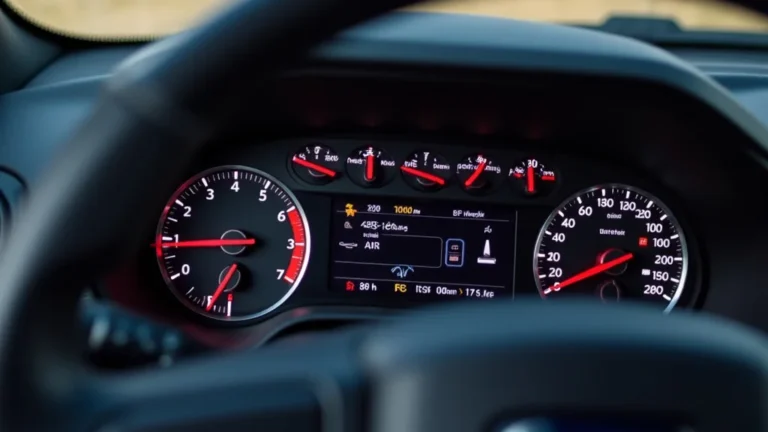
F150 Wheel Speed Sensor Symptoms: Spotting and Fixing Issues
If you’re an F150 owner, you might be facing the challenge of f150 wheel speed sensor symptoms. It can be tricky for people who are just starting because those symptoms can look like a lot of other problems. But don’t worry! This post breaks down those symptoms in simple terms. We’ll explore exactly what to watch out for, what causes them, and most importantly, how to get your truck running smoothly again. We’re going to make sure you know exactly what’s happening and how to fix it, step by step.
Key Takeaways
- Identify the common indicators of a failing wheel speed sensor.
- Understand the various functions the wheel speed sensor performs in your vehicle.
- Learn how a wheel speed sensor works in your Ford F150.
- Discover the common causes of wheel speed sensor failure.
- Follow the steps to diagnose and test the wheel speed sensor.
- Explore easy methods for replacing a damaged wheel speed sensor.
Unveiling Wheel Speed Sensor Mysteries
The wheel speed sensor is a small but mighty component in your Ford F150. It’s a key part of the anti-lock braking system (ABS) and the stability control system. Basically, it’s like a tiny detective, constantly monitoring how fast each wheel is turning. This information is sent to the truck’s computer, which then uses it to keep your truck safe and make driving easier. When there’s a problem with the wheel speed sensor, your truck might act strange. Let’s figure out what this sensor does, what might go wrong, and how to spot any problems.
What the Wheel Speed Sensor Does
The wheel speed sensor (WSS) has a straightforward job: to measure how quickly each wheel spins. It sends this data to the truck’s main computer (the Powertrain Control Module or PCM, in many cases). This information is absolutely vital for several important systems in your F150. It helps the ABS prevent wheel lock-up during hard braking and supports the stability control system to keep the truck from skidding. The sensor also works with the traction control system, which reduces wheel spin when accelerating on slippery surfaces. Understanding the function of the WSS is the first step toward understanding the possible issues.
-
ABS (Anti-lock Braking System) Operation: The sensor is essential for the ABS. When you press the brakes hard, the ABS uses the information from the wheel speed sensors to prevent the wheels from locking up. If a wheel starts to lock, the ABS quickly releases and reapplies the brake on that wheel, allowing you to maintain steering control.
This rapid pulsing of the brakes is all thanks to the wheel speed sensor’s data. If the sensor fails, the ABS might not work correctly, potentially leading to longer stopping distances and a loss of steering control during hard braking situations. This is why paying close attention to f150 wheel speed sensor symptoms is so important.
-
Stability Control Assistance: The stability control system also relies heavily on the wheel speed sensor. It compares the speed of each wheel to determine if the truck is moving in the direction the driver intends. If the system detects a loss of control, such as skidding, it can individually brake wheels and reduce engine power to help regain control.
Without accurate data from the wheel speed sensors, the stability control system won’t be able to function correctly. This could significantly increase the risk of losing control of your F150, especially in challenging driving conditions like rain, snow, or ice.
-
Traction Control Integration: The traction control system, another safety feature, uses the wheel speed sensor data to reduce wheel spin when you accelerate. When the system detects that a wheel is spinning faster than the others, it reduces engine power or applies the brakes to that wheel.
This helps you maintain traction and control, especially when accelerating on slippery surfaces. If the wheel speed sensor is faulty, the traction control system will not work, which might make it harder to accelerate on loose surfaces.
How the Wheel Speed Sensor Works
The wheel speed sensor is a pretty simple device, but it plays a crucial role. Usually, the sensor has a magnetic tip that picks up signals from a toothed ring (called a tone ring or reluctor ring) that rotates with the wheel. As the teeth on the ring pass the sensor, it creates an electrical signal, which the truck’s computer then interprets as wheel speed. The design can differ between vehicles; some have sensors with a Hall-effect element to detect wheel speed, while others use a magnetic pickup style. The basic principle is always the same: turning movement equals speed data.
-
Magnetic Pickup Design: The most common type of wheel speed sensor is the magnetic pickup style. It contains a magnet and a coil of wire. As the tone ring rotates, the teeth pass the magnet, changing the magnetic field. This creates an AC voltage signal within the coil.
The frequency of this voltage is directly proportional to the wheel’s speed. The faster the wheel spins, the higher the frequency. The truck’s computer then uses this signal to determine the wheel’s speed. These types of sensors are known for their simplicity and robustness but can be affected by metal debris or rust.
-
Hall-Effect Sensor Design: The Hall-effect sensor uses a semiconductor element that changes its output voltage when exposed to a magnetic field. This type often uses a toothed wheel, like the magnetic pickup sensor. As the teeth pass the sensor, they change the magnetic field, and the Hall-effect sensor produces a signal.
This signal is then sent to the computer to determine wheel speed. The Hall-effect sensors tend to be more accurate and less susceptible to interference than magnetic pickup sensors. This design provides more precise measurements under various driving conditions, like a higher sensitivity for low speeds.
-
Tone Ring (Reluctor Ring): The tone ring, also known as the reluctor ring, is a circular gear-like component that rotates with the wheel. It’s usually made of metal and has a series of teeth or slots. As the wheel spins, the teeth of the tone ring pass the wheel speed sensor.
The sensor then detects these changes and sends a signal to the truck’s computer. The number and spacing of the teeth affect the accuracy and resolution of the wheel speed measurement. Damage to the tone ring, such as bent or missing teeth, can cause inaccurate readings, triggering f150 wheel speed sensor symptoms.
Common Causes of Wheel Speed Sensor Problems
Several things can lead to a wheel speed sensor failing or sending incorrect signals. Things like road debris, damage during repair work, and just plain wear and tear all contribute to problems with these sensors. The good news is, by knowing the potential problems, you can often take steps to avoid them, or at least catch them early.
-
Physical Damage: The wheel speed sensor is often positioned near the wheel and tire, making it vulnerable to physical damage. Damage can occur from impacts with road debris, curbs, or other obstacles. The sensor itself might get broken, or the wiring that connects it to the truck’s electrical system can be cut or frayed.
This physical damage can cause the sensor to stop working entirely, or it might send incorrect signals to the truck’s computer. During any repair work near the wheels, care should be taken not to damage the sensors or their wires. Regular inspections can help catch these problems before they lead to more significant issues.
-
Corrosion and Contamination: Exposure to water, salt, and other contaminants can cause corrosion in the wheel speed sensor or on its connectors. This corrosion can interrupt the electrical signals, leading to problems with the ABS and stability control systems. It can also cause the sensor to send intermittent or inaccurate readings.
Contaminants like dirt and brake dust can also build up on the sensor, interfering with its ability to accurately measure wheel speed. Cleaning the sensor and its connectors during routine maintenance can help prevent corrosion and contamination, extending the life of the sensor and reducing the chance of encountering f150 wheel speed sensor symptoms.
-
Electrical Issues: Besides physical damage and corrosion, electrical problems can also affect the wheel speed sensor. Open circuits, shorts in the wiring, and problems with the sensor’s internal components can all cause it to malfunction. Issues in the truck’s electrical system, like a faulty fuse or a damaged wire harness, can also affect the sensor.
Electrical issues often lead to intermittent problems, where the ABS light or other warning lights might come on and off randomly. Thoroughly inspecting the wiring and connectors associated with the wheel speed sensor is essential. Sometimes, you’ll need to use a multimeter to check for voltage and continuity, helping pinpoint the cause of the issue.
Pinpointing F150 Wheel Speed Sensor Issues
If you suspect a wheel speed sensor issue, figuring out what’s wrong can be done with a little time and some basic tools. You don’t always need to be a mechanic to check for f150 wheel speed sensor symptoms. A combination of visual inspection, diagnostic tools, and a bit of hands-on work can usually point you in the right direction. It’s about knowing what to look for, how to test the sensor, and what the results mean. This section will guide you through the process, from checking for obvious damage to using a scan tool.
Recognizing the Signs
The first step in diagnosing wheel speed sensor issues is to spot the signs. Pay attention to how your truck is acting. The symptoms can vary, but certain clues will usually point you toward a wheel speed sensor problem. Catching these early can help prevent more significant issues.
-
ABS Warning Light: The most obvious symptom is the ABS warning light turning on. This light on your dashboard, usually an “ABS” symbol, is a signal that there’s a problem with the anti-lock braking system. When the wheel speed sensor fails, it often triggers the ABS light.
The light may come on intermittently or stay on continuously. This alerts you that the ABS is not working correctly. The light could mean anything from a sensor failure to a more extensive problem. However, it’s a good place to start your troubleshooting. Don’t ignore this warning; your safety could be at risk.
-
Stability Control Malfunction: The stability control system helps keep your truck stable and on course, especially in bad conditions. If the wheel speed sensor fails, the stability control system may be disabled, and a warning light may appear on your dashboard.
You may also feel the truck behave differently when cornering or driving on slippery surfaces, as the stability control might not be able to assist. This is a common symptom because the stability control depends on wheel speed data to work. Ignoring this could lead to more serious issues.
-
Unusual Braking Behavior: Another clue related to f150 wheel speed sensor symptoms is strange braking performance. You might experience longer stopping distances or feel a pulsing sensation in the brake pedal, even when you’re not braking hard.
The ABS may activate unexpectedly, even on dry pavement. The ABS system might misinterpret the signals from the faulty sensor, causing it to engage when it’s not needed. This can make the truck harder to control, and it’s essential to address these issues immediately.
Diagnostic Steps
Once you’ve noticed the signs of a wheel speed sensor problem, you’ll need to perform a diagnosis. This typically involves a mix of visual inspections and using diagnostic tools. This will help you identify the specific wheel with the problem and isolate the issue. With some basic equipment and these steps, you can save yourself a trip to the shop and resolve the issue yourself.
-
Visual Inspection: Start with a thorough visual inspection of the wheel speed sensors, the wiring, and the tone rings. Check for any obvious damage. Look for broken wires, loose connections, or physical damage to the sensors themselves. Examine the tone rings for any missing teeth, debris, or rust.
Carefully follow the wiring from the sensor to the connector and then to the main wiring harness. Look for cuts, abrasions, or any signs of wear. Often, visual inspection alone can reveal the source of the problem, such as a damaged wire or a sensor that has come loose. Take a picture as you go so you can be sure to put it back exactly how you found it.
-
Using a Scan Tool: A scan tool is an essential tool for diagnosing wheel speed sensor problems. Connect the scan tool to your truck’s OBD-II port. Then, read the trouble codes, which can pinpoint the specific wheel speed sensor causing the issue. The tool can also display the real-time data from each sensor.
By comparing the wheel speeds shown on the scan tool while driving at a low speed, you can identify which sensor is not working. If a sensor shows 0 mph while the others are increasing speed, then that’s the sensor you need to look at more closely. There are many scan tools available, with varying levels of functionality, so pick one that suits your needs and skill level.
-
Sensor Testing: After identifying the faulty sensor, test it using a multimeter. First, unplug the sensor and check the resistance across its terminals. Refer to your vehicle’s repair manual for the correct resistance specifications.
Compare the measurement to those specs to see if the sensor is within range. If the resistance is outside the specified range, the sensor is likely faulty. You should also check for voltage at the sensor connector to ensure the sensor is receiving power. Then, follow your truck’s manual to perform any needed diagnostic checks of your specific wheel speed sensor.
Example Scenario
-
Problem: Your ABS light has come on. You also notice that your brakes seem less effective than usual, especially on wet roads. You suspect a wheel speed sensor issue but are not sure which one.
The first step is to use an OBD-II scan tool to retrieve any trouble codes. The scan tool shows a code related to the front-right wheel speed sensor. Next, you perform a visual inspection of the front-right wheel speed sensor and its wiring. You find that the connector is loose and covered in dirt. You clean and reconnect the connector, clear the trouble codes, and test drive the truck. The ABS light goes off, and the brakes work correctly. You have successfully resolved the issue by identifying the f150 wheel speed sensor symptoms and fixing a faulty connection.
-
Problem: You notice the stability control light is on, and the truck feels unstable when cornering. You use a scan tool, and it indicates a problem with the rear-left wheel speed sensor. A visual inspection reveals that the sensor’s wiring is damaged.
After examining the wiring, you find that it has been partially cut by road debris. You decide to replace the rear-left wheel speed sensor and its wiring harness. After the replacement, you clear the codes, and the stability control light goes off. You test drive the truck and feel confident that the system is again working as designed, ensuring your safety.
Replacing a Faulty Sensor
If you’ve diagnosed a wheel speed sensor problem, you’ll likely need to
What You’ll Need
Before you begin the
-
New Wheel Speed Sensor: Obtain a new wheel speed sensor that matches your F150’s make, model, and year. You can get this from an auto parts store or online. Always look for a high-quality replacement to ensure reliable performance.
When purchasing the sensor, check for any manufacturer warranties. Have your truck’s VIN handy to ensure you get the correct part. Compare the new sensor to the old one to ensure they are identical. Avoid buying generic or off-brand sensors, as they might not meet the specifications of your truck.
-
Tools: You’ll need a few essential tools to remove the old sensor and install the new one. Include a socket set or wrench set to remove any mounting bolts. A screwdriver will be useful for removing clips or fasteners. A penetrating oil can help loosen stubborn bolts or corroded parts.
A pair of pliers might be helpful for removing clips or connectors. You might need a jack and jack stands to safely raise and support your truck. Consider wearing gloves to protect your hands and safety glasses to protect your eyes. Always follow safety precautions and consult your truck’s repair manual for any specific tool requirements.
-
Safety Equipment: Working on any vehicle requires basic safety precautions. Make sure you’re working in a well-ventilated area. Use jack stands to support the truck when raising it. Wear safety glasses to protect your eyes and gloves to protect your hands.
Avoid working under the truck if it’s only supported by a jack. Turn off the engine and remove the key to prevent accidental starting. Keep any flammable materials away from the work area. If you’re not comfortable working on your vehicle, it’s a good idea to seek help from a qualified mechanic.
Step-by-Step Replacement Guide
Here’s a step-by-step guide to replace a wheel speed sensor on your F150. Remember, every truck is different, so it’s always smart to consult your owner’s manual for specific instructions. Working slowly and carefully will help you to get the job done right. This guide makes it straightforward, making the entire process easier and more successful.
-
Prepare the Vehicle: Park the F150 on a level surface and engage the parking brake. Then, use a jack to raise the truck and place it on jack stands. Ensure that the truck is securely supported. Remove the wheel from the side where the faulty sensor is located, giving you clear access to the sensor.
This will give you ample room to work. Make sure the area around the wheel well is clear and well-lit. Double-check that the truck is stable on the jack stands before beginning any work. Always take extra care to guarantee safety.
-
Locate and Disconnect the Sensor: Locate the wheel speed sensor. It’s usually mounted near the wheel hub or axle. You’ll likely see a small wire running from the sensor to a connector on the truck’s frame. Carefully disconnect the electrical connector from the sensor.
Some connectors have a locking tab that you’ll need to release. Gently wiggle the connector to separate it if it’s stuck. Disconnecting the sensor from the truck’s wiring harness prevents electrical damage and makes the sensor removal process easier. The exact location of the sensor and the connector can vary depending on your truck’s model year.
-
Remove the Old Sensor: Once the connector is disconnected, you’ll need to remove the old sensor from its mounting location. Usually, the sensor is secured with one or two bolts. Use a wrench or socket to remove these bolts.
If the sensor is stuck, try spraying it with penetrating oil and letting it sit for a few minutes. If it’s still stuck, gently try to wiggle it free. Avoid using too much force, as you don’t want to damage the surrounding components. It’s often necessary to clean the area around the sensor to remove dirt or debris.
-
Install the New Sensor: Insert the new wheel speed sensor into its mounting location. Align it correctly and secure it with the mounting bolts. Tighten the bolts to the torque specifications recommended in your truck’s repair manual.
Ensure that the sensor is properly seated in its mounting location. Double-check that the sensor’s wire is routed safely away from any moving parts, such as the brake rotor or suspension components. Be careful not to overtighten the bolts, as this can damage the sensor. Following proper torque specifications is essential.
-
Reconnect and Test: Reconnect the sensor’s electrical connector. Ensure the connector is securely attached. Reinstall the wheel. Lower the truck and tighten the lug nuts to the proper torque. Start your truck and test-drive it.
After reinstalling the wheel, clear any stored trouble codes using a scan tool. The ABS light and any other warning lights related to the stability control should turn off. Drive the truck at various speeds to see if the ABS or stability control systems are functioning correctly. If the lights reappear, you may need to recheck your work or have the system inspected by a qualified mechanic.
Real-World Example
Consider a truck owner whose ABS light came on, leading them to suspect a wheel speed sensor issue. After using a scan tool to identify the faulty sensor (rear-right), they followed the above steps to replace it. After installation, they cleared the codes, took the truck for a test drive, and found that the ABS light was off and the brakes performed normally. The successful replacement resolved the f150 wheel speed sensor symptoms, ensuring the safety and performance of the truck.
| Issue | Symptoms | Solution |
|---|---|---|
| Failed Rear-Left Sensor | ABS Light On, Jerky Braking | Replaced Sensor, Test Drive, Issue Resolved |
| Corroded Front-Right Sensor | Erratic ABS Activation, Stability Control Problems | Cleaned Connections, Repaired Wiring, All Systems Restored |
Frequently Asked Questions
Question: What happens if I drive with a bad wheel speed sensor?
Answer: Driving with a bad wheel speed sensor can affect your truck’s braking and stability. Your ABS, stability control, and traction control systems might not work correctly. This increases the risk of longer stopping distances, loss of control on slippery surfaces, and reduced vehicle stability. You might not notice it at first, but your safety is being compromised.
Question: Can I drive my F150 if the ABS light is on?
Answer: Technically, yes, you can drive your F150 if the ABS light is on. However, it’s not recommended for long distances or in adverse weather conditions. The ABS is a safety system, and if the light is on, it’s not working. This means your brakes won’t perform as well in emergency situations. It’s important to have the issue checked out soon.
Question: How much does it cost to fix a wheel speed sensor?
Answer: The cost to fix a wheel speed sensor can change based on a few factors. It depends on the price of the sensor itself, which can vary from $20 to $100 or more. If you’re having a mechanic do the work, you’ll need to pay for labor. The total cost might range from $100 to $300, or higher, if there are complications or additional parts needed.
Question: How long does it take to replace a wheel speed sensor?
Answer: Replacing a wheel speed sensor is generally a quick job. If you have some mechanical knowledge, it might take 30 minutes to an hour per sensor. For those not as familiar with auto repair, allow a bit more time. If you have to deal with stuck bolts or corrosion, it might take a bit longer. The key is to be patient and careful.
Question: Can I use a regular OBD-II scanner to diagnose a wheel speed sensor issue?
Answer: Yes, you can use a regular OBD-II scanner to help with diagnosing a wheel speed sensor problem. While basic scanners will often identify the presence of a code, a more advanced scanner will allow you to read live data from the wheel speed sensors. It will show the speed that each wheel is turning. With this information, you can easily identify a faulty sensor.
Final Thoughts
Dealing with f150 wheel speed sensor symptoms doesn’t have to be a major headache. From understanding what a wheel speed sensor does to identifying the common signs of trouble and knowing how to replace a damaged sensor, you’ve now got the tools you need. Remember, the symptoms can vary, so paying close attention to your truck’s behavior is critical. By recognizing early warnings and following the step-by-step guidance in this article, you can take control of the situation and keep your F150 running safely. Don’t let those warning lights intimidate you; you’ve got this. If you are not comfortable doing the work, find a trusted mechanic to keep your F150 in top shape for the road ahead.