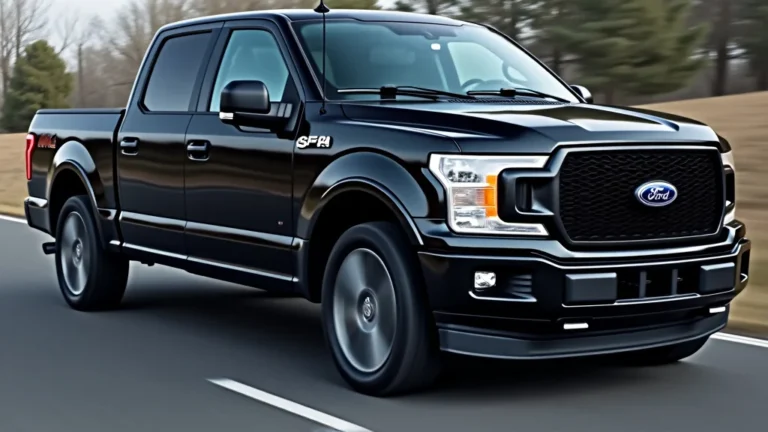
What Is F150 Park Sensor Calibration and How to Do It
If you’re wondering what is f150 park sensor calibration, you’re not alone. It can sound a little tricky at first. Many people find this part of owning an F150 confusing, but don’t worry. This guide will help you sort it out. We’ll break down everything you need to know, from the basics to the steps to calibrate them yourself. Get ready to explore a clear, easy-to-follow guide to get your park sensors working perfectly.
Getting to Know Your F150 Park Sensors
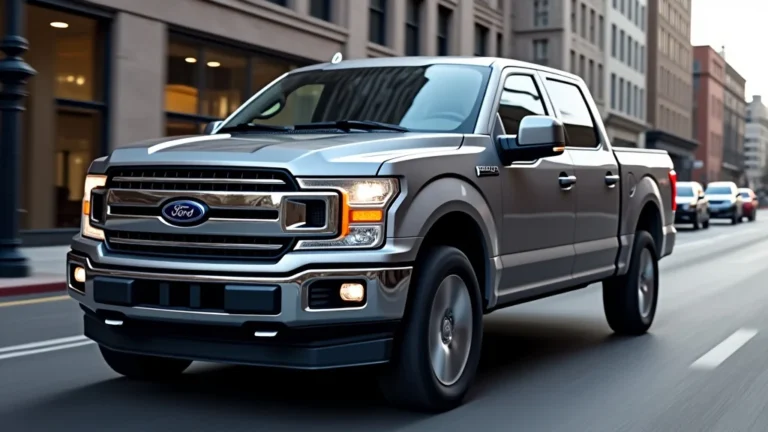
Your F150’s park sensors, sometimes called parking assist sensors, are like having extra eyes in the back of your truck. They help you park safely and easily, alerting you to objects you might not see. These sensors, usually small round devices built into your bumpers, use ultrasonic waves to detect things in your path. When you get too close to something, like another car or a wall, the sensors send out a warning sound or show a visual alert on your dashboard. This system is a big help, especially when parking in tight spots or backing up.
How Park Sensors Work
The park sensors send out sound waves that bounce off objects. Think of it like a bat using echolocation. The sensors measure how long it takes for the sound waves to return. This tells the system how far away the object is. The system then gives you a warning, usually a beep that gets faster as you get closer to the object. Some trucks also show a graphic on the screen to help you see what’s behind you. The system is designed to help keep your truck safe from bumps and scrapes, making parking easier and reducing the chance of accidents.
- Ultrasonic Sensors: These sensors emit high-frequency sound waves. They’re typically embedded in the front and rear bumpers of your F150. These sensors are the main component in the park assist system.
- Distance Measurement: The system measures the time it takes for these sound waves to bounce back. This data helps the truck figure out how far away objects are. It uses this to know if you’re close to a wall, another car, or anything else.
- Alert System: When objects are detected nearby, the system gives you warnings. This usually includes beeping sounds, with the beeping getting faster as you get closer to an object. Also, some F150s may have visual warnings on the dashboard display, showing the distance.
- System Components: The park assist setup has an electronic control unit (ECU). This brain processes the information from the sensors. This unit works with the vehicle’s other systems, like the brakes and steering, to make parking easier and safer.
Common Problems with Park Sensors
Sometimes, your park sensors might not work right. There are a few things that can go wrong. Maybe the sensors get dirty, blocked by mud, snow, or ice. Other issues include physical damage to the sensors or problems with the wiring. Also, issues with the vehicle’s computer system can make the sensors act up. Understanding these problems can help you figure out what’s going on if your sensors stop working correctly.
- Sensor Obstruction: Dirt, mud, snow, or ice can easily block the sensors. This can mess up the sound waves and make the sensors think something is nearby when it isn’t. Keeping the sensors clean is essential to make sure they work well.
- Physical Damage: Bumps or impacts can damage the sensors. A broken or cracked sensor won’t work correctly and will need to be replaced. Check the sensors regularly for any signs of damage to prevent any surprise issues.
- Wiring Issues: Problems with the wiring can also be a problem. Loose connections or damaged wires can stop the sensors from working. If the sensors seem to fail all at once, wiring may be the issue.
- Software Glitches: Sometimes, the vehicle’s software can have issues. A glitch in the computer system can make the sensors act up. In such cases, updating or resetting the software might fix the problem.
Why Is F150 Park Sensor Calibration Necessary?
Sometimes, your F150’s park sensors need to be recalibrated. This can happen after you replace a sensor, or after repairs. Calibration helps the sensors work correctly. It’s like resetting the sensors to make sure they are giving the right information about how far away objects are. If you don’t calibrate the sensors, they might give you wrong readings. They might beep when there’s nothing there, or not beep when something is close. Calibration fixes these issues, making sure the park sensors work when you need them.
When to Calibrate Park Sensors
There are some key times when you’ll need to calibrate your park sensors. One time is when you
- After Sensor
- Following Bumper Repairs: Any repairs to the bumper, especially near the park sensors, can change how the sensors work. Recalibration makes sure the sensors are still correctly aligned and providing accurate data.
- After Software Updates: If you update your truck’s software, it can sometimes affect the park sensor system. You might need to recalibrate the sensors after a software upgrade. This ensures they continue to work well.
- If Sensor Accuracy Is Off: If you notice that your sensors are giving you incorrect readings, it’s time to consider a recalibration. If they beep when there’s nothing there, or don’t beep when there is an object, calibration may fix the issue.
The Importance of Proper Calibration
Proper calibration is essential for your F150’s park sensors. When calibrated right, the sensors give you the accurate data you need. This is especially true when parking in tight spaces. If the sensors are off, they might not detect objects correctly. This can cause damage to your truck or create a dangerous situation. Also, good calibration improves safety and helps make sure your parking experience is as smooth as possible.
- Accuracy in Detecting Objects: Properly calibrated sensors accurately identify objects in the path of your F150. This is the main benefit, ensuring you’re aware of any obstacles while parking or backing up.
- Prevention of Damage: Accurate sensor readings help prevent damage to your truck by alerting you to any potential collisions with objects. This helps avoid costly repairs and maintains the truck’s value.
- Enhanced Safety: Well-calibrated sensors provide an extra layer of safety. The warning system can help you prevent accidents, especially in areas with limited visibility.
- Improved User Experience: Accurate sensor calibration helps create a smoother, more stress-free parking experience. You can trust the sensors to provide reliable warnings, making parking easier.
How to Calibrate Your F150 Park Sensors
Recalibrating your F150’s park sensors is something you can do at home, although it requires some basic knowledge. The steps can change a bit, depending on your truck’s model year. You may need a scan tool or the truck’s own built-in diagnostics. The exact steps may vary, but the main goal stays the same: to tell the sensors how far apart things are. Always check your owner’s manual for model-specific instructions. It’s important to be careful and follow the instructions to get the best results.
Tools You Might Need
To calibrate your park sensors, you’ll need a few tools. The main thing you’ll need is a scan tool. It connects to the truck’s computer to read and change settings. You may also need a level surface to park your truck on. Also, you might need a measuring tape to check distances. If you’re doing any physical work, make sure you have safety glasses and gloves. Having the right tools helps make the process easier and helps you get the calibration done right.
- OBD2 Scan Tool: This is a key tool for calibration. A scan tool connects to the truck’s computer system and helps you access and adjust the settings. Make sure your scan tool can support the park assist system.
- Level Surface: You’ll need a flat, even surface to park your truck on. This makes sure the sensors read the distances correctly. Avoid parking on slopes or uneven ground.
- Measuring Tape: In some calibration procedures, you might need a measuring tape to check the distances to objects. This helps confirm the sensors are working correctly.
- Owner’s Manual: Your F150’s owner’s manual has specific instructions for the calibration process. Check your manual for the correct steps for your truck’s model year.
- Safety Gear: Always wear safety glasses and gloves when working on your truck. This will protect you from any potential hazards.
Step-by-Step Calibration Guide
The precise steps for calibrating your F150’s park sensors depend on your model year and the type of system it has. However, the general process includes connecting a scan tool, following the prompts, and then testing the system. Always refer to your truck’s owner’s manual for specific instructions. The goal is to make sure the sensors are working as they should, giving you the right warnings when you get close to objects. Doing the calibration correctly helps maintain your F150’s safety and ease of use.
- Prepare Your Truck: Park your F150 on a level surface. Ensure the area around your truck is clear of any objects. Make sure the sensors are clean and free of dirt, snow, or ice.
- Connect the Scan Tool: Locate the OBD2 port, usually located under the dashboard near the steering wheel. Connect your scan tool to this port. Turn on the ignition but do not start the engine.
- Access the Park Sensor System: Use the scan tool to access the park assist or parking aid system. The specific menu option varies by scan tool. Follow the prompts on the scan tool’s display.
- Initiate Calibration: Select the calibration option in the menu. The scan tool will guide you through the process. Follow the instructions on the tool’s screen. The tool might ask you to perform certain actions, such as slowly backing up or driving forward at a specific speed.
- Verify Calibration: After completing the calibration, the scan tool will show the status. Check the readings to see if the calibration was successful. You might also need to perform a test drive to make sure the sensors are working correctly.
Troubleshooting Calibration Issues
Sometimes, the calibration process might not go smoothly. There could be issues with the scan tool, or the sensors themselves might not be responding correctly. If you’re running into problems, try some quick troubleshooting steps. Ensure the scan tool is compatible with your F150 and that it’s connected securely. Also, double-check all the steps to see if you missed something. If problems continue, you might need to seek help from a qualified mechanic.
- Scan Tool Compatibility: Verify your scan tool is suitable for your F150 model year. The scan tool must support the park assist system. Incompatible tools cannot perform the calibration.
- Connection Issues: Check the connection between the scan tool and the OBD2 port. Make sure the connection is secure and that the scan tool is getting power.
- Sensor Obstruction: Confirm the sensors are clean. Dirt, ice, or snow can disrupt the calibration. Make sure the sensors are free of obstructions before you start the calibration process.
- Follow Instructions Carefully: Carefully follow all of the prompts on your scan tool. Any missed steps can lead to a failed calibration. Always use your owner’s manual as a guide.
Understanding Diagnostic Codes
When you use a scan tool to troubleshoot park sensor issues, you may see diagnostic trouble codes (DTCs). These codes are like clues that point to what might be wrong with the system. Each code has a unique meaning and tells you about a specific problem. For example, a code might say there’s a problem with a sensor, or that the system isn’t getting the right power. Understanding these codes is essential for diagnosing the issue correctly.
Common DTCs Related to Park Sensors
Several DTCs relate to your F150’s park sensors. These codes can tell you about issues with the sensors, wiring, or the control module. Knowing what these codes mean can help you solve problems. Some codes point to a specific sensor failing, while others indicate problems with the system’s power supply. When you see a code, use a code reader and look it up to find out what it means. Use this information to find out what you should do next.
- P0528: This code usually indicates a problem with the park assist system’s sensor circuit. This could point to a faulty sensor or issues with the wiring. Check the sensors and wiring for damage.
- B1A39: This code indicates that a sensor is not working. The code will likely specify which sensor has failed. It may be due to physical damage or internal sensor failure.
- C1A00: This code can mean the park assist module is having a problem. This might involve a software issue. Try resetting the module or updating the software, as suggested by your vehicle’s manual.
- U0415: This code relates to data from the antilock brake system (ABS). This means there’s a lack of information being shared. It could suggest a communication problem between the ABS and the park assist system.
Interpreting and Addressing DTCs
To use DTCs to fix problems, you need to understand what they mean and what steps to take. First, use a scan tool to get the code. Then, look up the code in a repair manual or online database to find out what it means. This will give you insight into the specific problem and possible causes. After diagnosing the problem, you can start fixing it. This might involve checking wiring, replacing sensors, or updating the software. Always follow the guidelines in your vehicle’s repair manual.
Here are some examples of what might happen when you get the codes:
- P0528: You may need to inspect the wiring and connectors of the park sensor. If there’s damage, repair or replace the affected parts. If wiring is good, the sensor itself may need to be replaced.
- B1A39: Find out which sensor the code identifies. You will then replace the damaged sensor. After replacement, recalibrate the parking sensor system.
- C1A00: Start by resetting the park assist module using your scan tool. If the problem continues, consider a software update. Consult a technician for more complicated fixes.
- U0415: Check the communication between the ABS and the park assist system. If the issue keeps happening, check the wiring and connectors that are connecting the systems. Then you may have to consult a professional to get things fixed.
Frequently Asked Questions
Question: How often should I calibrate my F150 park sensors?
Answer: You usually need to calibrate them after you replace a sensor, following bumper repairs, or after a software update. Otherwise, only recalibrate if the sensors are giving inaccurate readings.
Question: What do I need to calibrate the sensors?
Answer: You’ll typically need an OBD2 scan tool that can access your F150’s park assist system. Make sure you also have your owner’s manual to follow the correct steps.
Question: Can I calibrate the park sensors myself, or do I need a mechanic?
Answer: You can often calibrate the sensors yourself, especially if you have an OBD2 scan tool and follow the steps in your owner’s manual. However, more complex issues may require a professional.
Question: What if the sensors still don’t work after calibration?
Answer: If calibration doesn’t fix the problem, you may have other issues. Check the sensors for damage, inspect the wiring, and ensure the system is getting power. Consider consulting a mechanic if you cannot identify the problem.
Question: What happens if I don’t calibrate the park sensors after replacing one?
Answer: If you don’t calibrate the sensors after replacing one, they may not function correctly. They could provide inaccurate readings or fail to detect obstacles, which can lead to safety concerns.
Final Thoughts
When you’re dealing with what is f150 park sensor calibration, it might seem complicated, but it doesn’t have to be. Your F150’s park sensors are helpful, but sometimes they need a little help to work right. Calibration is how you make sure your sensors are giving you the right information. By now, you should have a good grasp of why calibration is necessary and how to get it done. The process is a combination of knowing your truck’s systems, using the right tools, and carefully following the steps. Properly calibrated sensors are your allies in tight parking spots. Remember to keep your sensors clean and address any issues right away. By taking good care of your park sensors, you help your truck stay safe and easier to handle. Now you’re equipped to handle this task with confidence. Happy driving!