What Is Ford F-150 Pro Trailer Assist and How Does It Work?
So, you’re wondering, what is f150 pro trailer assist? It’s a common question for anyone getting started with towing, especially with a feature-packed truck like the F-150. Don’t worry, it might seem tricky at first, but it’s actually pretty easy to grasp. This guide will walk you through everything, step-by-step, making sure you feel confident and ready to use this awesome feature. We’ll start by explaining what Pro Trailer Assist is, then go over how it works, and finally, how to use it safely and effectively. Let’s explore!
Key Takeaways
- Pro Trailer Assist helps you easily back up your F-150 with a trailer.
- This system uses your truck’s steering wheel to guide the trailer.
- Proper setup and calibration are key for Pro Trailer Assist to function correctly.
- The system makes trailer backing up simpler and less stressful.
- Pro Trailer Assist can help you avoid common trailer backing mistakes.
Unpacking Ford’s Trailer Helper Technology
If you’re new to towing, the idea of backing up a trailer can seem a little intimidating. Fortunately, Ford has developed a smart system to make this much easier: Pro Trailer Assist. This technology takes the guesswork out of steering and helps you guide your trailer with precision. This system is a welcome addition, and it helps remove the stress of having to learn how to tow on your own.
What is Pro Trailer Assist?
Pro Trailer Assist is a feature designed to help you back your trailer into a parking spot or any other tight space. It uses a combination of sensors, cameras, and your truck’s steering system to make backing up trailers less difficult. Think of it as an extra set of hands or a co-pilot, helping you stay in control of the situation and reducing the chance of making mistakes.
- Simplified Steering: The system takes control of steering, allowing you to use a simple knob on the dashboard to direct the trailer.
- Integrated Camera System: The truck’s camera system provides a clear view of the trailer’s path.
- Easy Calibration: It requires some initial setup, but the calibration process is straightforward.
- Reduced Stress: The system reduces the stress of trailer backing by simplifying the process.
Rather than wrestling with the steering wheel and guessing which way the trailer will move, the Pro Trailer Assist does the work for you. You use a small rotary knob to tell the system the direction you want the trailer to go. This makes the whole process smoother and more intuitive.
The system uses the truck’s rear-view camera, and sometimes additional cameras, to show you exactly where the trailer is going. This visual feedback is invaluable, helping you see obstacles and adjust your trailer’s direction easily. You can see the trailer’s movements in real-time, helping make sure you get the trailer right where you want it.
Before you can use Pro Trailer Assist, you’ll need to calibrate the system to your specific trailer. This process involves measuring a few distances and entering them into the system. This ensures the system knows the size and setup of your trailer, and can provide accurate guidance. Once this setup is done, the system is ready to go.
The whole purpose of Pro Trailer Assist is to take some of the pressure off the driver. By automating the steering and providing a clear view of the trailer’s movements, the system gives you more confidence. You can focus on what’s going on around you rather than stressing over the perfect maneuver.
How Does Pro Trailer Assist Work?
The magic behind Pro Trailer Assist lies in how it links the truck’s technology with the driver’s input. It’s like having a computer-controlled system to make backing up your trailer easier. You tell the system where you want to go using a knob, and the truck takes care of the steering. It combines several features to give you a clear and easy-to-use towing experience. When you understand the basics, you’ll be able to use it like a pro.
- The Rotary Knob: The control center of the system.
- Steering Assistance: The system takes control of the truck’s steering.
- Camera Views: Uses the truck’s camera system to provide a view of the trailer.
- Sensors: The system uses sensors to help with accuracy.
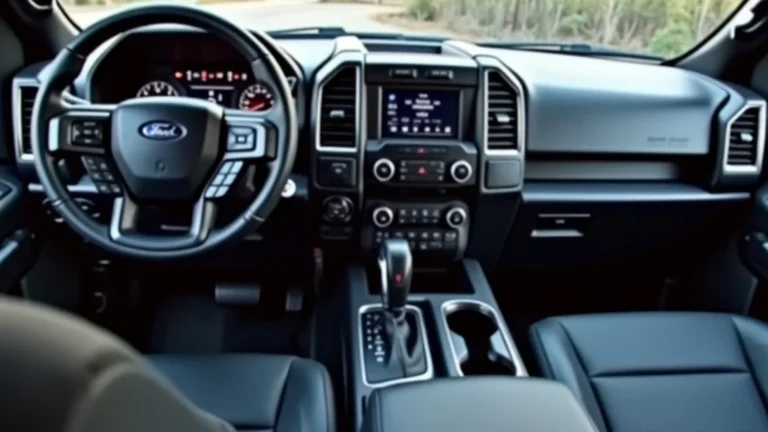
A rotary knob is usually located on the dashboard. It’s the primary way you tell the system which way you want the trailer to go. By turning the knob left or right, you’re essentially instructing the truck to steer the trailer in that direction. This is a very simple and intuitive control method, making it easy to handle.
When you activate Pro Trailer Assist, the truck’s computer takes over the steering of the vehicle. Based on the position of the knob, the system turns the steering wheel for you. This allows the trailer to move in the chosen direction without you needing to make any adjustments.
You can see where your trailer is going using a camera that’s usually at the back of the truck. This visual aid makes the whole process much easier. You can see the trailer’s path and make small adjustments. The camera feed is usually displayed on the truck’s infotainment screen, providing a real-time view.
These sensors help measure the distance and angles, making sure the truck and trailer are aligned. The sensors give the system important data it needs to work properly. With the help of the sensors, the system can make small adjustments to provide smooth and precise maneuvering.
Setting Up Pro Trailer Assist
Before you can use Pro Trailer Assist, you need to set it up for your trailer. This is a one-time setup process that makes sure the system is working well with your equipment. This process will help you prepare for a safe and easy towing experience. By following some easy steps, you can set it up quickly.
Pre-Trip Inspection and Initial Setup
The first step is making sure everything is in place for your trip. This involves making sure the trailer is connected to the truck, including electrical connections, and inspecting the trailer’s condition. Getting this ready before you get on the road helps with safety and with the Pro Trailer Assist process. Inspecting your equipment can help avoid problems and make the system run smoothly.
- Connect the Trailer: Ensure the trailer is properly connected to the truck.
- Enter Trailer Dimensions: Input the necessary measurements into the truck’s system.
- Trailer Calibration: Calibrate the system to your trailer.
- Test the System: Practice backing up in a safe, open area.
Make sure the trailer is hooked to the truck’s hitch securely. Double-check the safety chains and the electrical connection for the trailer lights and brakes. Once you know everything is connected properly, you’re ready for the next setup steps.
You’ll need to measure some distances to ensure the system is calibrated. These measurements might include the distance from the hitch to the trailer axle. You will usually be prompted to do this through the truck’s infotainment system. Inputting these measurements is vital to the system’s accuracy, so take your time and be precise.
After entering the dimensions, you’ll often need to drive in a straight line for a short distance to calibrate the system. The truck’s sensors will confirm the trailer’s position. This process makes sure the Pro Trailer Assist knows how the trailer moves. After you do this the first time, the system will be ready for the next time.
Before putting Pro Trailer Assist to work, take a little time to test it out. Go to an open area where you can practice backing up the trailer. This gives you a chance to see how the system works without any pressure. Once you know how the system reacts, you’ll feel confident using it in tight spaces.
Calibrating Pro Trailer Assist for Different Trailers
The calibration step is really important, especially when you use different trailers. Since each trailer has its own shape and size, the truck needs to know these measurements to help you back up effectively. Here are some steps you can take to make sure you have the right setup.
- Measure the Trailer: You will need to get a good tape measure to measure the dimensions of your trailer. This includes the distance from the hitch ball to the trailer’s axle.
- Access the System: Go to the truck’s settings through the infotainment screen. Find the Pro Trailer Assist section.
- Enter Data: Input the measurements you took from your trailer. Enter all the needed dimensions.
- Test and Confirm: After entering the numbers, go to a safe area. Drive forward, and activate the Pro Trailer Assist. Test the system. If it works smoothly, you’re ready to go!
Following these steps helps the system work as well as it possibly can. This will give you the most accurate and easiest trailer experience.
Safety Tips for Calibration and Use
When you’re setting up Pro Trailer Assist and using it, safety should be your top priority. Following a few easy steps can keep you and your equipment safe. Always be alert and know what’s going on around you. Safety is important so you have an easy and safe towing experience.
- Choose a Safe Location: Pick a wide-open area to calibrate and practice.
- Check Your Surroundings: Take a good look around the vehicle before you start.
- Drive Slowly: Go slow during both setup and use.
- Use Your Mirrors: Pay close attention to your mirrors.
- Be Patient: The Pro Trailer Assist might take some getting used to.
A good location is a parking lot or a quiet road. This reduces the risk of collisions. This gives you plenty of space to make mistakes without worrying about other vehicles or people.
Look for any objects, pedestrians, or other vehicles in the area. Make sure your path is clear before you begin. Checking your surroundings can prevent accidents.
This provides you more time to respond if anything unexpected occurs. Driving at slow speeds gives you more time to react. You can also make more precise adjustments.
Even though Pro Trailer Assist helps you, you should still use your mirrors. This helps you monitor the trailer’s position. This can give you additional awareness of your surroundings.
Don’t be discouraged if it doesn’t feel natural right away. Spend some time practicing in a safe space. Practice will make you a better driver, as you learn how to adjust to the system.
Using Ford F-150 Pro Trailer Assist: Step-by-Step
With everything set up, the next step is learning how to use the Pro Trailer Assist. The process is easy, and a bit of practice is all you need to get the hang of it. You will be confident in any situation with this step-by-step walkthrough.
Engaging Pro Trailer Assist
Activating Pro Trailer Assist is a simple process. The system is usually activated through the truck’s touchscreen interface. Following these instructions will get you ready to use the system.
- Access the Feature: Use the touchscreen system to navigate to the Pro Trailer Assist feature.
- Select a Trailer Profile: Pick the correct trailer profile.
- Activate the System: Engage Pro Trailer Assist.
Locate the Pro Trailer Assist option in the truck’s menu. It’s typically found in the towing settings. Once you find it, you’re ready to move to the next step.
If you have set up more than one trailer profile, choose the one for the trailer you’re using. Selecting the right profile ensures the system has the correct measurements. It will allow the system to work effectively.
Once you’ve selected your trailer, the system is ready to use. Now you’re prepared to back up the trailer using the Pro Trailer Assist system. At this point, the system is prepared to back up the trailer.
Maneuvering with the Rotary Knob
The rotary knob is what allows you to direct the trailer. This feature gives you very direct control over the direction of the trailer. When you understand how it works, you will find it incredibly easy to back up the trailer.
- Control Direction: Turn the knob to steer the trailer.
- Monitor the Screen: Keep an eye on the camera view.
- Make Small Adjustments: Make gentle turns to guide the trailer.
- Control Speed: Always use a slow, steady speed.
To steer, simply turn the knob left or right. The system will steer the truck to move the trailer in the direction you’ve chosen. The direction is linked with the truck’s steering.
The truck’s camera system gives you a view of the trailer. Keep watching the screen to see how the trailer is moving. This is where you will see the trailer’s current path. It will also help you visualize where the trailer is going.
Be gentle with the knob and make small turns. This makes it easier to guide the trailer to where you want it. This approach reduces any jerky movements of the trailer. This makes the system work smoothly.
Maintain a slow speed when backing up. This gives you extra time to react. It also helps you make precise adjustments to the steering. With practice, you’ll be able to guide the trailer into almost any space.
Understanding Steering Corrections and Adjustments
It’s important to know how to adjust the system as needed. Knowing how to adjust can help you make smooth and accurate maneuvers. This knowledge will turn you into an even more confident driver.
- Anticipate Movements: Learn how the trailer reacts to your commands.
- Correct Oversteering: If the trailer turns too much, adjust the knob in the opposite direction.
- Adjust for Obstacles: Be prepared to adjust the direction of your trailer to avoid anything.
- Practice Makes Perfect: Practice in different situations.
With practice, you will learn how the trailer reacts to your turns of the knob. This helps you get a good feel for how the trailer moves. By anticipating the trailer’s movements, you can make smooth adjustments.
If the trailer starts to turn too sharply, counter-steer gently. This can fix any issues. You can prevent the trailer from turning too far. Small adjustments are always best.
Look at your mirrors and camera view and prepare to react. If you see an obstacle, turn the knob to steer the trailer away from it. This is where the camera system is really useful. It gives you the information you need to avoid trouble.
Get lots of practice in different situations. Try backing the trailer into various locations and angles. This practice gives you more confidence. With more practice, you’ll feel confident. You will master the system and become an even better trailer driver.
Addressing Common Issues and Troubleshooting
Even though Pro Trailer Assist makes backing up easier, you could run into some issues. These can be related to setup errors, or to the conditions around you. Being aware of these issues can help you find solutions quickly. Having a little knowledge makes a big difference.
Common Problems and Solutions
You might run into problems while using Pro Trailer Assist. Many of these issues have straightforward solutions. You can easily fix common problems with a little know-how.
- Incorrect Trailer Measurements: Verify that your measurements are accurate.
- Poor Camera View: Check to see if your camera is clean and free of debris.
- System Malfunctions: Restart the system.
- Environmental Issues: Adjust for weather conditions.
If the trailer doesn’t move as expected, the issue might be your numbers. Recalibrate the system using accurate measurements. This helps improve the accuracy of the system and make it work correctly. If the numbers are wrong, the system will not work the way you want it to.
The cameras provide a vital view of your trailer. If the view is blurry, make sure that the camera lens is clean. Clean the camera to clear up any issues you may be having. A good view is essential for guiding the trailer. A clear view makes the process much simpler.
If the system isn’t working right, try turning it off and on again. This is a common solution. Restarting the system can often resolve glitches. After restarting, make sure the system is ready to operate.
Rain, snow, or fog can make it difficult for sensors and cameras to function properly. You may need to adjust your approach or use caution. Make sure to slow down. Be extra cautious. This can help keep you safe.
Troubleshooting Tips
Knowing some troubleshooting tips can help you find and resolve problems quickly. These can range from setup mistakes to environmental factors. Here are some simple steps to try.
- Check Connections: Make sure the trailer is connected to the truck.
- Review Settings: Make sure all the settings are correct for your trailer.
- Consult the Manual: Check the owner’s manual for detailed instructions.
- Contact Support: Contact a service center.
Double-check that the electrical connection is secure. Also, check the connection for the trailer brakes and lights. A good connection is essential for the system to work safely.
Go back through the menus and check the trailer’s dimensions. Then, check the profile to make sure you’ve selected the correct trailer. Incorrect settings can lead to problems.
The owner’s manual has important information. You can often find answers to specific problems. The manual includes troubleshooting steps. This can give you extra guidance.
If you’re still having issues, seek professional help. Reach out to the Ford dealership or service center. They can assist you with more complex problems. Their technical expertise can provide you with a solution.
Real-World Examples and Case Studies
Seeing how Pro Trailer Assist works in practice can help you feel more confident. These examples show how the system can be helpful in everyday situations. These case studies can help you understand how this system works in the real world.
- Backing Into a Campsite: Many F-150 owners use their trucks for camping. Consider a family arriving at a campsite. They have a trailer and a tight campsite spot. With Pro Trailer Assist, the driver can easily steer the trailer into its parking spot. It greatly reduces the difficulty of backing the trailer into the small campsite. The driver only needs to use the knob to guide the trailer.
- Loading and Unloading at a Dock: Imagine a person needing to load a boat onto a trailer at a boat ramp. They need to back the trailer into the water. With Pro Trailer Assist, the driver has very good control. The driver can precisely position the trailer. Then, the boat is loaded or unloaded safely. The driver can get the trailer aligned very easily.
These real-world examples highlight how valuable Pro Trailer Assist can be. It gives you more control and makes it easier to use the trailer in many situations. It makes difficult maneuvers easier and more convenient.
Frequently Asked Questions
Question: Is Pro Trailer Assist available on all F-150 models?
Answer: No, it is usually available on higher trims and comes as an optional feature.
Question: Can I use Pro Trailer Assist with any type of trailer?
Answer: It works best with trailers that have been properly set up and calibrated within the system.
Question: How do I know if my trailer is compatible?
Answer: The trailer must be correctly connected and the dimensions entered.
Question: Can Pro Trailer Assist steer the truck automatically?
Answer: No, the system controls the trailer’s direction, but the driver still controls the truck’s speed and braking.
Question: What happens if the system malfunctions while backing up?
Answer: The system will alert you, and you can switch to manual steering.
Final Thoughts
So, we’ve explored what is f150 pro trailer assist, and how it can help you easily back up your trailer. We’ve seen that it uses a simple knob and cameras to make it easier to back up a trailer. Proper setup, like calibrating the system with your trailer’s dimensions, is vital. You should also take the time to practice with the system in a safe area to get the hang of it. Remember to always check your surroundings and go slow. This will help you steer your trailer with confidence. When you know how to use it, you’ll find that Pro Trailer Assist makes towing easier and less stressful. With a little time and practice, you can master this handy feature and make your towing experiences safer and more enjoyable. Now get out there and enjoy the open road!