Why F150 Steering Column Clicks Causes and Simple Fixes
If you’re wondering why f150 steering column clicks, you’re not alone! This is a common issue for many F-150 owners, and it can be a little tricky to figure out at first. Don’t worry, it’s usually not a major problem, and often you can fix it yourself. This post is for you, even if you’re a beginner. We’ll break down the most likely causes and give you easy-to-follow steps to get rid of that annoying click. Let’s get started and get your truck driving smoothly again!
Possible Reasons for That Steering Column Click
When you hear a clicking sound coming from your F-150’s steering column, several things could be going on. This noise can be frustrating, but knowing the possible causes is the first step toward a fix. It’s usually something straightforward, but the exact source dictates the solution. We will explore the usual suspects, giving you a better idea of what might be happening when you turn the wheel. Knowing these common causes will help you focus your troubleshooting efforts.
Steering Shaft Issues
The steering shaft is a vital part of your truck’s steering system. It connects the steering wheel to the steering gear, allowing you to control the direction of the vehicle. Over time, the steering shaft can develop problems. A common issue is wear and tear on the universal joints or the intermediate shaft itself. These parts are constantly moving, so friction and age can lead to a clicking noise. The clicking often happens when you turn the wheel, especially at certain angles or when making a sharp turn. If the shaft has a lot of play, the clicking will be more pronounced.
- Universal Joint Wear: The universal joints, or U-joints, allow the steering shaft to bend and flex as it connects to the steering gear. They’re like little hinges. As they wear down, they can develop play, causing a click or clunk when you turn the wheel.
- Intermediate Shaft Problems: The intermediate shaft is the section of the steering shaft that connects the upper and lower portions. This shaft can rust, loosen, or develop wear in the splines, which may lead to clicking sounds.
- Loose Bolts: Bolts holding the steering shaft in place can work loose over time. A loose bolt can allow the shaft to move and click against other components.
- Corrosion: Moisture and road salt can cause corrosion on the steering shaft and its components. This corrosion can lead to friction and clicking sounds.
A loose or worn steering shaft can cause safety issues, as it directly impacts your ability to control the truck. If you hear a click, it’s essential to inspect the steering shaft.
Clock Spring Malfunctions
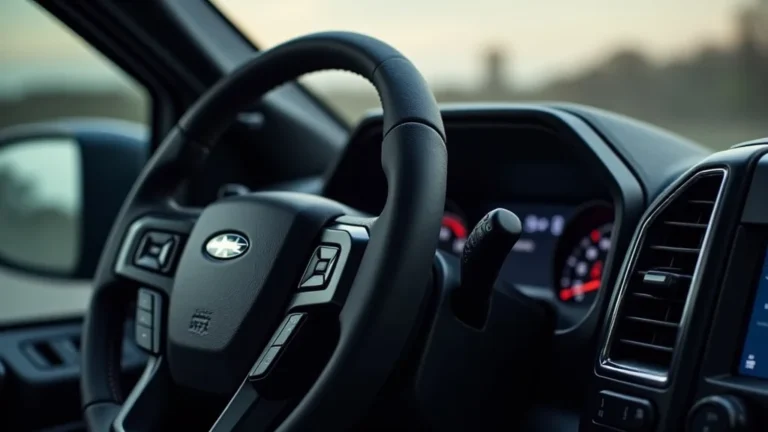
The clock spring is another potential source for the clicking sound. It is a part that allows electrical connections between the steering wheel and the rest of the truck. This is how your horn, airbag, and steering wheel controls work. Inside the clock spring, there’s a coiled ribbon cable that maintains electrical contact as the steering wheel rotates. If this cable becomes damaged or frayed, it can produce a clicking sound. This is very common when the wheel is turned, and the clock spring is a likely suspect. Problems with the clock spring can affect critical safety features, so it’s essential to address these issues promptly.
- Ribbon Cable Damage: The ribbon cable within the clock spring can break or become damaged from wear and tear.
- Contamination: Dust, dirt, or other debris can get inside the clock spring and interfere with its operation.
- Improper Installation: If the clock spring was installed incorrectly, it might cause the ribbon cable to bind.
- Age: Over time, the materials inside the clock spring can degrade, leading to failure.
The airbag warning light may illuminate on the dashboard if the clock spring has a problem. The horn and steering wheel controls might stop working. Replace a damaged clock spring immediately for safety.
Steering Wheel Position Sensor
The steering wheel position sensor (also known as the steering angle sensor) provides information to the truck’s stability control system about the steering wheel’s position. This sensor helps the system correct oversteer or understeer situations. Some F-150 models use this sensor in their steering systems. If the sensor is malfunctioning, it may cause a clicking sound. The sensor’s internal components can become worn or damaged, leading to noise. The location of the sensor can also expose it to debris or moisture, which can cause problems. Although it’s less common than shaft or clock spring issues, a failing steering wheel position sensor is still a possibility.
- Sensor Wear: The internal components can degrade over time and with use.
- Electrical Issues: Problems within the wiring harness could lead to the sensor clicking.
- Calibration Errors: Incorrect calibration of the sensor may cause problems.
- Debris or Moisture: Dirt or water can enter the sensor and cause issues.
If the steering wheel position sensor is malfunctioning, the truck’s stability control system might not function correctly. A clicking noise when turning the wheel is the major sign of an issue.
Steps to Diagnose Why F150 Steering Column Clicks
Now that you know the possible causes, let’s explore how to diagnose the problem. Following these steps can help you pinpoint what’s causing the clicking in your F-150’s steering column. You will need some basic tools, like a flashlight, a jack and jack stands, and possibly some basic hand tools, such as wrenches and sockets. Safety comes first, so make sure your truck is safely supported before you begin. It’s usually a good idea to start with the easiest and most accessible checks first. This can save you time and effort.
Preliminary Checks and Preparations
Before you begin inspecting components, you need to prepare your truck. Doing this safely is key to preventing accidents and injuries. Make sure you have adequate space to work. Gather your tools and necessary safety gear, such as gloves and safety glasses. These preliminary steps will ensure that your inspection goes smoothly.
- Park on a Level Surface: This provides a stable base for your truck.
- Engage the Parking Brake: This helps prevent the truck from moving unexpectedly.
- Gather Your Tools: Assemble a flashlight, jack, jack stands, and hand tools.
- Wear Safety Gear: Put on gloves and safety glasses.
- Locate the Source: Ask a friend to help you to make sure the noise is coming from the steering column area.
Use jack stands to lift your truck safely if you need to work underneath it. Never work under a vehicle supported only by a jack.
Inspecting the Steering Shaft
The steering shaft is a common source of clicking. Start your inspection by carefully examining the entire shaft for any signs of wear or damage. Look closely at the universal joints and the intermediate shaft. Pay close attention to any areas where there might be play or looseness. If you see signs of wear, it’s time to replace the shaft or the worn components. The steering shaft is directly related to your ability to drive the vehicle safely, so any issues should not be ignored. A thorough inspection here can save you time and money.
- Visual Inspection: Examine the steering shaft, universal joints, and bolts.
- Check for Play: Try wiggling the shaft to check for looseness.
- Lubricate the Shaft (If Appropriate): Sometimes, a little lubrication can reduce friction and clicking.
- Tighten Loose Bolts: If you find any loose bolts, tighten them to the proper torque specifications.
Proper lubrication can sometimes eliminate friction and clicking. Tighten bolts to the factory specifications.
Clock Spring Assessment
The clock spring can be a little harder to access, but it’s important to check it if you suspect a problem. The clock spring is located behind the steering wheel. To access it, you may need to remove the steering wheel. Always disconnect the negative battery cable before working on any electrical components. Look for any visible damage to the clock spring or its wiring. If the ribbon cable is broken or frayed, you will need to replace the clock spring. If your horn and steering wheel controls are not working, that is a good sign that the clock spring is failing.
- Disconnect the Battery: Disconnect the negative battery cable for safety.
- Remove the Steering Wheel: Follow the manufacturer’s instructions carefully.
- Inspect the Clock Spring: Look for damage or wear.
- Check for Continuity: Use a multimeter to test for continuity.
If you aren’t familiar with this task, it may be better to have a mechanic replace the clock spring, as it is related to the airbag system.
Steering Wheel Position Sensor Review
The steering wheel position sensor may be the cause of your clicking sound. Locating this sensor can vary depending on your model. Consult your truck’s service manual to find its exact location. Examine the sensor for any signs of damage or wear. Inspect the wiring and connections for any damage or corrosion. You can also check the sensor’s operation using a diagnostic scan tool that can read sensor data. If the sensor is failing, you may need to replace it. This is usually the least common cause of a clicking noise, but it’s still worth checking.
- Locate the Sensor: Find its location using your service manual.
- Inspect the Wiring: Look for any damage or corrosion.
- Use a Scan Tool: A diagnostic scan tool can help you determine if the sensor is working correctly.
- Check the Calibration: Ensure the sensor is calibrated properly.
A diagnostic scan tool can help reveal issues. Proper calibration is necessary.
Solutions and Repairs
Once you’ve determined the cause of the clicking, you can begin the repair process. This section will guide you through the process of fixing the most common issues. Some repairs are relatively simple and can be done by a DIY mechanic. Others may require specialized tools or expertise, so it’s a good idea to know your limits. Always prioritize your safety. If you’re unsure about a repair, it’s always best to consult a professional. The correct repair will depend on the identified problem. If it’s a worn shaft, you may need to replace it. A faulty clock spring must be changed. For sensor issues, you may have to replace or recalibrate the sensor.
Replacing the Steering Shaft
If the steering shaft is the cause of the click, replacing it may be necessary. Replacing the steering shaft involves removing the old shaft and installing a new one. This process requires a few essential tools, including wrenches, sockets, and possibly a puller. First, disconnect the negative battery cable. Then, carefully remove the old shaft, making sure to note how it is positioned. Install the new shaft in the exact position as the old one, tightening all bolts to the manufacturer’s torque specifications. After the installation, double-check all connections to ensure everything is secure. You should test the truck after the replacement to make sure the clicking sound is gone.
- Disconnect the Battery: Safety first.
- Remove the Old Shaft: Note the position of the old shaft.
- Install the New Shaft: Align the new shaft correctly.
- Tighten the Bolts: Use the correct torque.
Using the proper torque settings is essential for safety. Check your truck’s manual.
Clock Spring Replacement
Replacing the clock spring can eliminate the clicking sound from the steering column and restore function to the horn, airbag, and steering wheel controls. This process begins by disconnecting the negative battery cable. After that, remove the steering wheel. Carefully remove the old clock spring and install the new one. Make sure to align the new clock spring with the correct position before securing it. Reinstall the steering wheel, reconnect the battery cable, and test the horn, airbag, and steering wheel controls to ensure they are working correctly. This job involves working with airbag components, so make sure you follow all safety steps.
- Disconnect the Battery: This is crucial.
- Remove the Steering Wheel: Use the correct tools.
- Replace the Clock Spring: Ensure correct alignment.
- Test the Systems: Verify the function of all components.
If you’re unsure about clock spring replacement, it’s best to seek help from a professional.
Steering Wheel Position Sensor Replacement or Calibration
If the steering wheel position sensor is faulty, you may need to
- Locate the Sensor: Consult your service manual.
- Disconnect and Remove: Carefully detach the sensor.
- Install the New Sensor: Replace and connect the new part.
- Calibrate the Sensor: Use a scan tool.
Always verify the proper function of all systems after a repair.
Real-Life Examples and Case Studies
Let’s explore some real-life cases to show how these solutions apply. These examples will demonstrate the practical outcomes of diagnosing and repairing the clicking issue in the F-150 steering column. Knowing these examples can help you understand what to expect during the repair.
- Case Study 1: Steering Shaft Replacement: A truck owner noticed a distinct clicking sound when turning the steering wheel. After checking, the owner found excessive play in the steering shaft. Further inspection revealed worn universal joints. The owner replaced the entire steering shaft. The clicking sound disappeared, and the truck’s handling improved immediately.
- Case Study 2: Clock Spring Replacement: Another F-150 owner noticed the horn was not working. They also noticed a clicking sound coming from the steering column. After diagnosing the problem, they found a faulty clock spring. The owner replaced the clock spring, which restored the horn and eliminated the clicking sound.
- Case Study 3: Sensor Calibration: One truck’s steering wheel position sensor was incorrectly calibrated, resulting in a clicking noise. After using a diagnostic scan tool and recalibrating the sensor, the clicking sound went away. The stability control system began working correctly again.
These examples reveal that correct diagnosis and timely repairs can completely resolve the clicking sound from the steering column. Proper tools and expertise will help you in your repair.
| Issue | Symptoms | Solution | Estimated Cost |
|---|---|---|---|
| Worn Steering Shaft | Clicking, play in the wheel | Replace steering shaft | $300-$800 |
| Faulty Clock Spring | Clicking, horn failure, airbag light | Replace clock spring | $150-$400 |
| Sensor Issues | Clicking, stability control problems | Sensor replacement or recalibration | $100-$300 |
Frequently Asked Questions
Question: What tools do I need to diagnose the clicking?
Answer: You’ll need basic tools, including a flashlight, jack, jack stands, wrenches, sockets, and possibly a multimeter and diagnostic scan tool, depending on what the problem is.
Question: Is it safe to drive my F-150 if the steering column clicks?
Answer: The safety depends on what is causing the clicking. If it is a minor issue, such as a loose bolt, driving may be fine. However, if there are problems with the steering shaft, clock spring, or wheel position sensor, it is important to take care of them right away.
Question: How long does it take to fix the clicking in the steering column?
Answer: The time varies, depending on the cause. A quick tightening of a bolt could take a few minutes. Replacing a clock spring might take an hour or two. A steering shaft replacement may take longer.
Question: Can I fix the clicking myself, or do I need to go to a mechanic?
Answer: Some repairs, like tightening bolts, are simple. Others, like clock spring
Question: How often do I need to check my steering column?
Answer: It’s a good idea to inspect your steering column regularly, especially if you notice any changes in steering feel or any unusual noises. At minimum, check it during your normal maintenance.
Final Thoughts
Dealing with a clicking steering column can be annoying, but you can usually fix it with a bit of effort. Now you understand some of the common causes, like a worn steering shaft, problems with the clock spring, or a faulty steering wheel position sensor. You have explored the steps to identify the problem and some solutions you can use. Remember to always prioritize safety by using the right tools and gear, and consult a professional if you’re not comfortable with a repair. Don’t let that clicking keep you from enjoying your F-150. By systematically working through the steps, you can find the solution, and then you’ll be back on the road in no time!