How to Replace Hood Release Cable on Honda Civic: Easy DIY Guide
A broken, stretched, or binding hood release cable can make opening your Honda Civic’s hood difficult—or eventually impossible. Fortunately, replacing the cable is a manageable DIY repair on many Civic generations if the hood is already open and you are comfortable removing a few trim pieces and part of the driver-side inner fender liner.
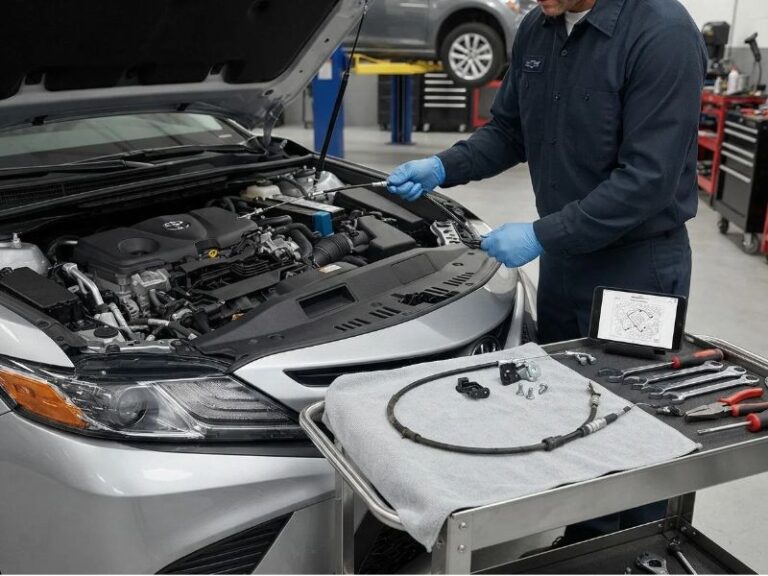
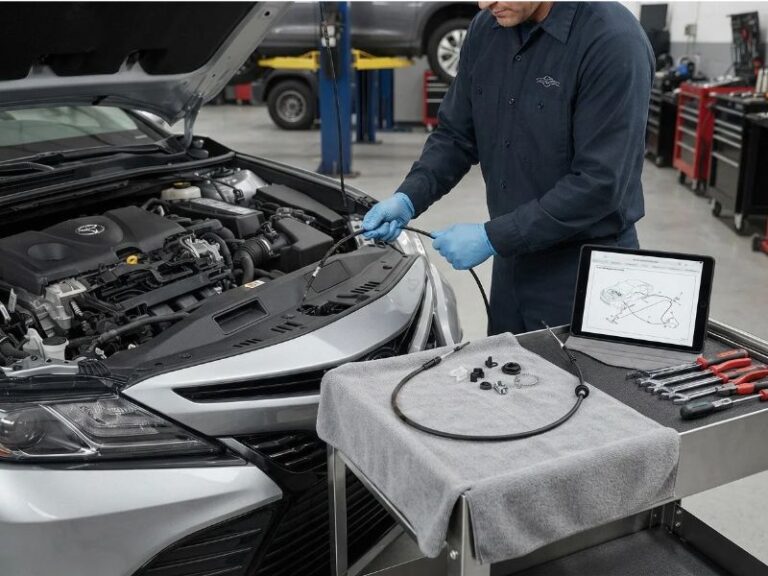
To replace the hood release cable on a Honda Civic, you generally disconnect the cable from the hood latch, remove it from its clips, remove the driver-side hood release handle and surrounding trim, access the cable behind the left inner fender liner, pull the old cable through the body, and route the replacement cable along the same path.
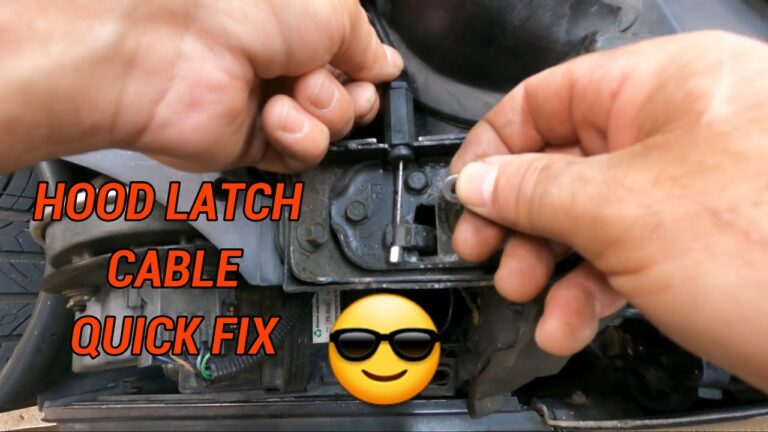
The exact procedure varies by model year. Some Civic generations use a single cable assembly, while certain newer designs divide the hood opener system into front and rear cable sections. Honda service information for some Civics also specifies removing the driver’s front inner fender to access the cable routing.
This guide explains the general procedure, what parts you may need to remove, and how to test the new cable before closing the hood.
How to Replace Hood Release Cable on Honda Civic
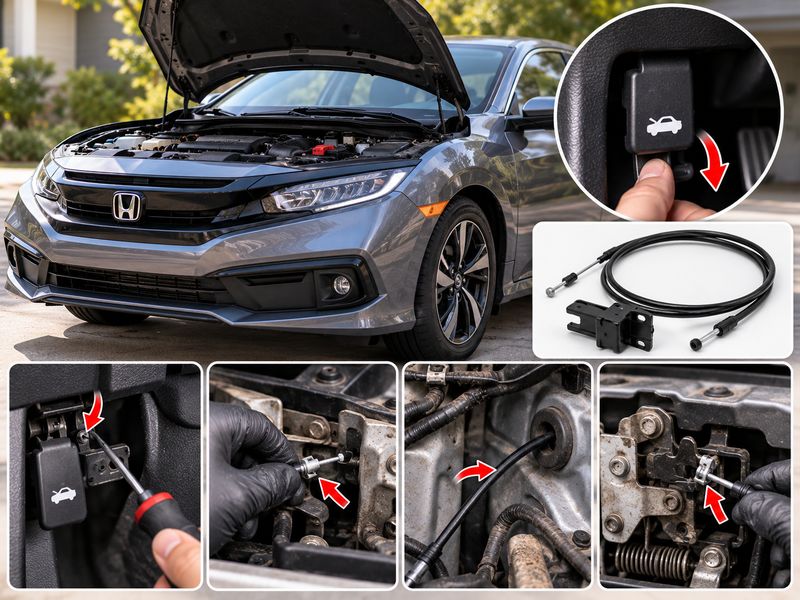
Replacing a Honda Civic hood release cable usually involves working at three locations: the hood latch, the driver-side interior release handle, and the cable routing behind the left front fender or inner fender liner.
The basic procedure is:
- Open the hood.
- Disconnect the cable from the hood latch.
- Remove the driver-side interior trim as necessary.
- Disconnect the cable from the hood release handle.
- Remove or loosen the left front inner fender liner.
- Release the cable from its retaining clips.
- Remove the firewall or body grommet.
- Pull out the old cable.
- Route the replacement cable along the original path.
- Reconnect the cable to the hood handle and latch.
- Test the latch repeatedly with the hood open.
- Reinstall the removed trim and fender liner.
Do not close the hood until you have confirmed that the new cable releases the latch correctly.
Before You Start: Identify Your Honda Civic Generation
Honda has produced many generations of the Civic, and hood release cable routing is not identical across all of them.
Depending on the year, your Civic may use:
- A single hood release cable from the cabin to the latch
- Separate front and rear hood opener cable sections
- Different retaining clips and grommets
- Different driver-side trim panels
- Different inner fender liner mounting hardware
For example, Honda service information for some later Civics identifies separate front and rear hood opener cables and calls for removal of the driver’s front inner fender during cable removal.
Before ordering a replacement, match the part to the Civic’s:
- Model year
- Sedan, coupe, or hatchback body style
- Trim when applicable
- VIN when purchasing an OEM cable
Do not assume a hood cable from another Civic generation will fit.
Signs Your Honda Civic Hood Release Cable Needs Replacement
A hood release problem does not automatically mean the cable needs replacement.
Check the system first.
Common signs of a failing cable include:
- Interior hood release handle feels unusually loose
- Handle must be pulled several times
- Hood opens only when the handle is pulled very hard
- Cable feels rough or binds
- Visible cable strands are frayed
- Outer cable housing is cracked or kinked
- Cable has excessive slack
- Release handle moves but the latch barely moves
- Cable has pulled out of its housing
- Cable has broken completely
If the cable is intact but the latch is stiff, cleaning and lubricating the hood latch mechanism may solve the problem.
If the cable housing has simply popped out of a bracket, reseating it may restore normal operation.
A frayed, kinked, badly corroded, or broken cable should be replaced.
Tools and Supplies You May Need
Exact tools depend on the Civic year, but common items include:
- Metric socket set
- Ratchet
- Screwdrivers
- Trim removal tool
- Pliers
- Flashlight
- Fender liner clip removal tool
- Replacement plastic clips
- Jack and jack stands if additional wheel-well access is necessary
- Wheel chocks
- Suitable hood latch lubricant
- Replacement Honda Civic hood release cable
- Strong string, wire, or pull cord
A length of string can make installation much easier because it can help guide the replacement cable through the same route as the old one.
Step 1: Open the Hood
Ideally, replace the cable before it breaks completely.
Pull the interior hood release handle and open the hood normally.
Engage the hood support rod if your Civic uses one.
Having the hood open gives you direct access to the latch and eliminates the difficult job of trying to release a closed hood with a broken cable.
Do not begin by disconnecting the cable and then accidentally close the hood.
Step 2: Locate the Hood Release Cable at the Latch
The primary hood latch is located near the front of the engine compartment.
Follow the release cable to where it attaches to the latch lever.
Examine how the cable is installed before disconnecting anything.
Taking a photo with your phone can help you remember:
- Cable orientation
- Retaining clip position
- Housing position
- Cable end attachment
The outer cable housing must be secured in its bracket while the inner cable pulls the latch lever.
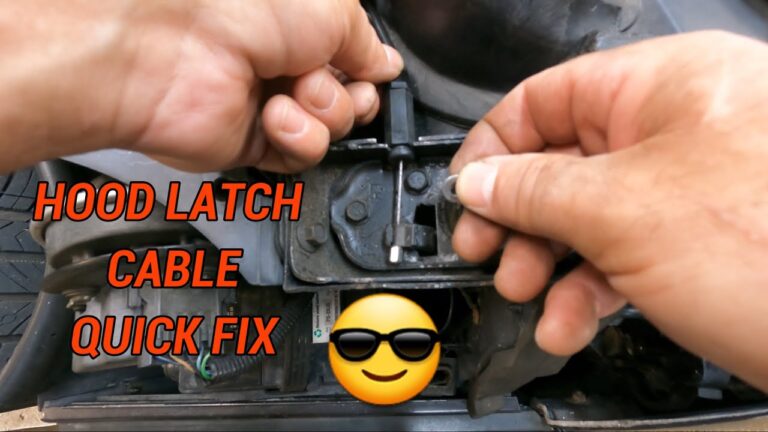
Step 3: Disconnect the Cable From the Hood Latch
Release the cable housing from its retaining bracket.
Then rotate or move the latch lever enough to remove the cable end from the lever.
Do not force the cable end out with excessive pressure.
Honda latch designs vary slightly, but the cable normally has a formed metal end that fits into a slot or hole in the release lever.
If access is limited, the hood latch itself may need to be loosened or removed.
Honda-related service information recommends marking the hood latch position before removing it so it can be returned to the same alignment during installation.
Step 4: Remove the Hood Latch if Necessary
Not every Civic requires complete latch removal for cable replacement.
If you do need to remove it, mark its position first with a marker.
This provides a reference when reinstalling the latch and helps preserve hood alignment.
Disconnect anything attached to the latch assembly that must be removed, then remove the latch mounting bolts.
Do not unnecessarily disturb latch adjustment if you can disconnect the cable without removing the latch.
Incorrect latch alignment can make the hood difficult to close or release.
Step 5: Remove the Driver-Side Interior Trim
Move to the driver’s footwell.
The hood release handle on most Civics is mounted low on the driver’s side near the kick panel.
Depending on the model year, you may need to remove:
- Driver-side kick panel
- Lower dashboard trim
- Door-sill trim
- Small plastic covers around the release mechanism
Use a plastic trim removal tool whenever possible.
Older plastic clips can become brittle and break easily.
Keep all clips and fasteners organized for reassembly.
Step 6: Remove the Hood Release Handle
Locate the fastener holding the hood release handle or lever assembly.
Remove the mounting hardware.
Pull the handle assembly outward far enough to inspect the cable connection.
The inner cable typically ends in a small metal barrel or formed end that fits into the handle.
Rotate the release handle as necessary and remove the cable end.
Then free the cable housing from the handle or mounting bracket.
Inspect the handle while it is removed.
If the handle is cracked, bent, or excessively worn, replacing it while everything is apart can prevent another hood release problem later.
Step 7: Access the Cable Behind the Driver-Side Fender
On many Honda Civics, the hood cable travels through or near the driver-side front fender area.
You may need to remove or partially remove the left front inner fender liner.
Honda service information specifically calls for driver-side inner fender removal on certain Civic generations when servicing the hood opener cable.
Turn the steering wheel for additional working room if appropriate.
If access still requires lifting the vehicle, use a properly rated jack and support the Civic securely with jack stands on approved lifting points.
Never work underneath a vehicle supported only by a hydraulic jack.
Step 8: Remove the Inner Fender Liner
Remove the plastic clips and screws securing the front portion of the driver-side inner fender liner.
Honda frequently uses reusable plastic push clips, but older clips often break during removal.
Having a few replacement clips available can save time.
You may not need to remove the entire liner.
Pulling back the section that covers the cable route may provide enough access.
Do not sharply bend or crease the liner.
Step 9: Find the Hood Release Cable Routing
With the liner moved aside, locate the hood release cable.
Follow it from the front of the vehicle toward the passenger compartment.
The cable may be held by several:
- Plastic clips
- Metal retainers
- Body brackets
- Guides
Pay close attention to the original route.
The replacement cable should follow the same path.
Incorrect routing could allow the cable to rub against:
- Tire
- Suspension components
- Sharp sheet metal
- Hot engine components
- Moving parts
Take several photos before removing the original cable.
Step 10: Release the Cable From All Retaining Clips
Carefully remove the old cable housing from each retaining clip.
Do not simply pull hard on the cable.
You may need to squeeze locking tabs or use a small screwdriver to release individual clips.
If a retaining clip breaks, replace it.
The outer cable housing must remain firmly secured after installation. Otherwise, pulling the interior handle can move the housing instead of properly pulling the inner cable.
Step 11: Attach a Guide String Before Removing the Old Cable
This is one of the most useful tricks during the repair.
Before completely removing the cable, securely attach a length of strong string or wire to one end of the old cable.
As you remove the old cable, the string follows the original path.
You can then attach the new cable to the string and use it as a guide during installation.
Honda Civic cable replacement guidance also describes using wire or string to maintain the original routing while the old cable is removed and the replacement is fed back into position.
Make the connection narrow enough to pass through tight openings.
Step 12: Remove the Cable Grommet
Find the rubber grommet where the cable passes through the body or firewall area.
The grommet seals the opening against:
- Water
- Dust
- Road debris
- Noise
Carefully work the grommet out of its opening.
Do not damage the surrounding sheet metal.
Some replacement cables include a new grommet attached to the cable assembly.
If yours does, use the new grommet.
Step 13: Pull Out the Old Hood Release Cable
Once all clips, attachments, and grommets have been released, carefully pull the cable out.
Move slowly.
Watch for any point where the housing catches on:
- Sheet metal
- Wiring
- Other cables
- Retaining brackets
If the cable refuses to move, stop and look for another clip.
Forcing it can damage nearby components.
Leave your guide string routed through the original cable path.
Step 14: Compare the Old and New Cable
Before installing the replacement, lay both cables next to each other.
Compare:
- Overall length
- Cable ends
- Housing length
- Grommet position
- Bracket locations
- Mounting clips
- Handle connection
- Latch connection
Small differences can matter.
If the replacement looks substantially different, confirm the part number before installation.
Step 15: Route the New Honda Civic Hood Release Cable
Attach the replacement cable to the guide string.
Make the joint secure but as narrow and smooth as possible.
Slowly pull the guide string while feeding the new cable from the opposite end.
Do not pull aggressively.
Have another person guide the cable if possible.
Follow the factory routing exactly.
Avoid creating tight bends because a sharp bend increases friction inside the cable housing.
Step 16: Install the Cable Grommet
Once the cable is correctly positioned, seat the rubber grommet fully in the body opening.
Check the entire circumference.
A partially installed grommet may allow moisture and road noise into the vehicle.
Make sure the grommet is not:
- Twisted
- Pinched
- Torn
- Folded inward
A little patience here helps maintain the original weather seal.
Step 17: Reinstall All Cable Retainers
Secure the replacement cable into every original retaining point.
The housing should not move significantly when the interior hood release is operated.
Check that the cable is not rubbing against anything.
Pay particular attention around the fender and engine compartment.
The routing should look similar to the original installation.
Step 18: Reconnect the Interior Hood Release Handle
Connect the inner cable end to the release lever.
Seat the outer cable housing completely into its bracket or retaining slot.
Reinstall the hood release handle and mounting hardware.
Before installing all the interior trim, pull the handle several times.
It should:
- Move smoothly
- Have a small amount of normal free play
- Return after release
- Pull the cable without binding
If the handle feels unusually tight, inspect the cable routing before continuing.
Step 19: Reconnect the Cable to the Hood Latch
Return to the engine compartment.
Install the cable housing into the hood latch bracket.
Connect the inner cable end to the latch release lever.
Make sure both are fully seated.
A common installation mistake is connecting the inner cable correctly but failing to lock the outer housing into its bracket.
If the outer housing moves, the latch may not release properly.
Step 20: Lubricate the Hood Latch
Before testing the new cable, inspect the latch.
A dry or corroded latch can place unnecessary load on the new cable.
Clean dirt from the mechanism and apply a small amount of suitable automotive latch lubricant to:
- Latch pivots
- Release lever
- Safety catch pivot
- Moving contact surfaces
Operate the mechanism several times.
Wipe away excessive lubricant because heavy grease buildup can attract dirt.
Step 21: Test the Hood Latch Before Closing the Hood
This is the most important step after cable replacement.
Do not immediately close the hood.
On latch designs where it can be done safely, use a screwdriver or suitable tool to move the latch mechanism into the closed position while the hood remains raised.
Keep your fingers away from the latch.
Then pull the interior hood release handle.
The latch should release immediately.
Repeat the test several times.
Confirm that:
- Interior handle moves smoothly
- Cable does not bind
- Latch releases completely
- Latch returns to its normal position
- Cable housing stays in its brackets
Return the latch completely to the open position before closing the hood.
Step 22: Reinstall the Fender Liner and Interior Trim
Once the release system works properly, reinstall the inner fender liner.
Replace any damaged clips.
Make sure the liner is securely attached so it cannot contact the tire.
Reinstall:
- Driver-side kick panel
- Door-sill trim if removed
- Lower dashboard trim
- Any other interior pieces
Check that the hood release handle remains unobstructed after the panels are installed.
Step 23: Close and Test the Hood
Lower the hood and close it using the normal procedure for your Civic.
Check that the hood is completely latched.
Then pull the interior hood release.
The hood should pop up slightly and remain held by the secondary safety catch.
Release the safety catch and reopen the hood.
Perform several opening and closing cycles before considering the repair complete.
What If the New Honda Civic Hood Cable Feels Too Loose?
First, make sure both ends of the outer cable housing are completely seated.
Check every retaining bracket.
A loose housing can create substantial handle travel even when the inner cable is the correct length.
Also inspect the hood latch.
If the cable is properly installed but the hood still requires excessive handle movement, possible causes include:
- Incorrect replacement cable
- Cable housing not fully seated
- Broken retaining clip
- Release handle wear
- Latch misalignment
- Worn latch mechanism
Do not shorten the new cable with homemade clamps unless the repair procedure specifically provides an adjustment method.
What If the New Cable Is Hard to Pull?
A new cable should generally move smoothly.
If the handle suddenly requires excessive force, stop pulling it and inspect the installation.
Common causes include:
Cable Is Routed Too Tightly
A sharp bend can dramatically increase friction.
Compare the new routing with your photos of the original cable.
Cable Housing Is Pinched
Check areas where trim, brackets, or the fender liner were reinstalled.
The housing should not be crushed.
Hood Latch Is Binding
Disconnect the cable from the latch and check whether the latch release lever moves freely.
A stiff latch may need cleaning, lubrication, adjustment, or replacement.
Wrong Cable Was Installed
A cable intended for another Civic model or generation may have different dimensions.
Verify the replacement part.
What If the Honda Civic Hood Will Not Open Because the Cable Already Broke?
Cable replacement becomes more difficult when the hood is already closed.
First, pull the interior release handle while another person gently presses down on the hood above the latch.
If some cable movement remains, reducing pressure on the latch may allow it to release.
If the cable has completely separated, the hood latch may need to be manually released through an accessible opening.
Depending on the Civic generation, access may be possible through:
- Front grille area
- Lower engine splash shield
- Driver-side wheel well
- Area behind the front bumper or radiator support
Access varies significantly between model years.
Do not blindly insert screwdrivers or pry bars near the radiator, A/C condenser, wiring, or hood latch.
If you cannot clearly see and safely reach the release lever, professional assistance can prevent expensive front-end damage.
Should You Replace the Hood Release Handle at the Same Time?
Not necessarily.
Keep the original handle if it is in good condition.
Consider replacing it if you find:
- Cracked plastic
- Excessive looseness
- Damaged cable attachment point
- Bent mounting bracket
- Handle that does not return correctly
A damaged handle can create symptoms similar to a stretched cable.
Should You Replace the Hood Latch Too?
A new latch is unnecessary if the original one moves freely, locks securely, and releases properly.
Consider latch replacement when it:
- Is heavily corroded
- Does not return after release
- Has damaged springs
- Has excessive wear
- Continues binding after lubrication
- Does not reliably secure the hood
A failing latch places additional stress on the new cable.
Common Honda Civic Hood Cable Replacement Mistakes
Closing the Hood Before Testing the Cable
This is the biggest mistake.
If the cable is installed incorrectly, closing the hood can lock you out of the engine compartment.
Test the system multiple times first.
Routing the New Cable Differently
The factory route keeps the cable away from heat, sharp edges, tires, and moving components.
Follow it closely.
Forgetting a Retaining Clip
Cable housing movement reduces the amount of travel transferred to the latch.
Secure every clip.
Damaging the Firewall Grommet
The grommet helps seal the passenger compartment.
Make sure it is fully installed.
Adjusting the Hood Latch Without Marking It
If latch removal is necessary, mark its original position first.
Unnecessary alignment changes can create hood closing and release problems.
Forcing Plastic Trim Clips
Use a trim removal tool and replace damaged clips instead of forcing them back into place.
How Long Does It Take to Replace a Honda Civic Hood Release Cable?
The repair time depends heavily on the Civic generation, access, and your experience.
A straightforward cable replacement can be a relatively manageable DIY job, while a model requiring more wheel-well, fender liner, or interior trim removal can take considerably longer.
The job also becomes much more difficult if the hood is already stuck closed.
For a first-time DIY repair, focus on careful cable routing rather than speed.
Can You Drive With a Broken Honda Civic Hood Release Cable?
A broken release cable generally does not cause a properly functioning hood latch to open because the cable releases the latch rather than holding it closed.
However, you should repair the cable soon.
Without a working hood release, you may not be able to access:
- Engine oil
- Coolant
- Battery
- Brake fluid
- Fuse boxes
- Washer fluid
- Other under-hood components
If the hood itself does not latch securely, do not drive the vehicle until the latch problem is repaired.
FAQs About How to Replace Hood Release Cable on Honda Civic
Do I Have to Remove the Fender to Replace a Honda Civic Hood Cable?
Usually you do not need to remove the complete exterior fender.
On many Civics, however, the driver-side front inner fender liner must be removed or pulled back to access the cable route. Honda service information specifies inner fender removal for hood opener cable service on certain Civic generations.
Does the Front Wheel Have to Come Off?
Not necessarily.
Some Civic models provide enough access by turning the steering wheel and removing part of the inner fender liner.
Removing the wheel can provide more working room on some models, but it is not universally required.
If you remove the wheel, support the vehicle properly with jack stands.
Where Does the Hood Release Cable Run on a Honda Civic?
The cable generally runs from the driver’s interior hood release lever, through the body or firewall area, along the driver-side front section of the vehicle, and toward the hood latch at the front.
Exact routing varies by generation.
Can I Replace Only Part of the Hood Release Cable?
It depends on the Civic.
Some models use a single cable assembly, while certain later Civic designs use separate front and rear hood opener cables.
Inspect the vehicle and verify the correct replacement part before ordering.
How Do I Know if the Hood Cable or Latch Is Bad?
With the hood open, watch the latch while someone pulls the interior handle.
If the cable moves normally but the latch is extremely difficult to operate, the latch may be binding.
If the cable is frayed, broken, excessively loose, or does not move correctly inside the housing, the cable is likely the problem.
Does a New Honda Civic Hood Cable Need Lubrication?
A new cable normally should not be flooded with lubricant unless the manufacturer recommends it.
Many replacement control cables are already lubricated or use a low-friction liner.
Lubricating the exposed hood latch pivots is still a good idea if they are dry.
Can I Replace the Honda Civic Hood Cable Myself?
Yes, many DIYers with basic mechanical experience can replace it.
The most important parts are correctly routing the new cable, securely seating the housing and grommet, and thoroughly testing the latch before closing the hood.
If the hood is already stuck closed or significant front-end disassembly is necessary, professional help may be more practical.
What Should I Do if the Hood Will Not Open After Installing the New Cable?
Do not repeatedly yank the interior handle.
Have someone gently press down on the hood above the latch while you pull the release.
If that does not work, the cable housing may not be seated, the cable may have disconnected, or the latch may be misaligned.
Accessing the latch manually may then be necessary.
Conclusion
Learning how to replace hood release cable on Honda Civic mainly involves duplicating the original cable routing carefully. Disconnect the old cable from the hood latch and interior release handle, access the cable through the driver-side inner fender area where required, release its retaining clips and grommet, and guide the replacement cable through the same route.
The exact procedure differs between Honda Civic generations, so use a cable made specifically for your year and body style. Pay particular attention to the outer cable housing, retaining clips, firewall grommet, hood release handle, and hood latch connection.
Most importantly, test the new hood release cable several times with the hood still open. Once the latch releases smoothly, resets correctly, and all cable retainers are secure, reinstall the remaining trim and verify normal hood operation.